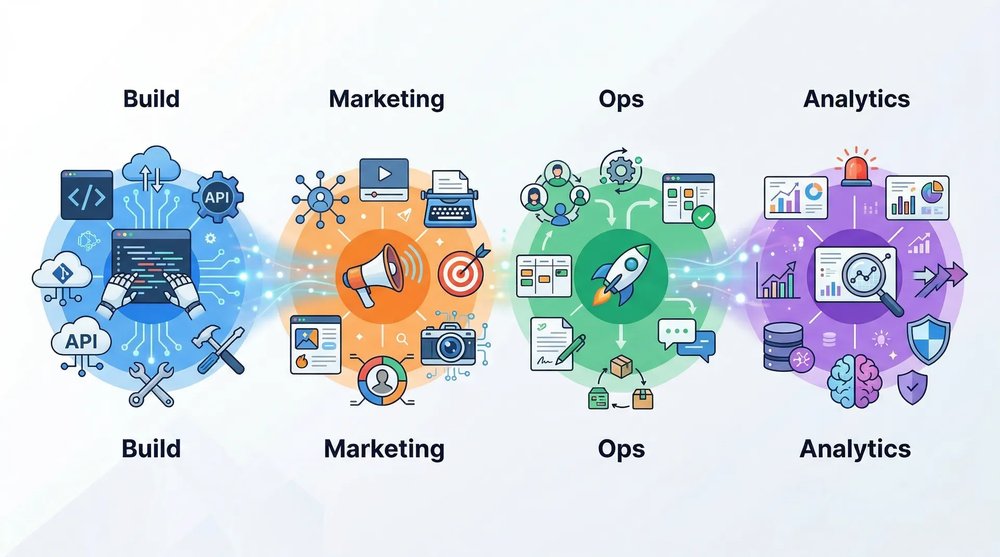
Launching a startup in 2026? Pick one AI tool per function, start on free plans, and pay only for the plans that matter at your stage. As a solo pre-seed founder, a Claude Pro subscription at $20 a month covers writing and code (it includes Claude Code), and you run CRM, documentation, product analytics and support on free plans. A three-person seed team spends from $176 a month, before meeting tools and hosting. We checked every price on September 26, 2026, on each vendor's official pricing page. Where the page didn't let us confirm an amount, the table says "see website". Each row then links to the article that covers the tool or category in detail.
A startup's AI stack in one table
The table lists one starter tool per function, one or more alternatives, and the entry price shown by the vendor, billed monthly unless stated otherwise.
| Function | Starter tool | Alternatives | Entry price (checked 09/26/2026) | In-depth article |
|---|---|---|---|---|
| No-code app | Lovable | Bolt.new, v0, Replit Agent, Base44 | see website | Lovable |
| AI-assisted coding | Cursor | Claude Code, GitHub Copilot, Codex, Windsurf | $20/month on the individual plan; Teams $40/user/month | Claude Code vs Cursor |
| Agents and automation | n8n | Make, Zapier, OpenClaw | self-hosted Community Edition free; cloud Starter €20/month billed annually | OpenClaw alternatives |
| Content | Claude Pro | ChatGPT, Jasper | $20/month ($17/month billed annually) | Claude Code |
| SEO | Google Search Console | Semrush, Ahrefs | see website | SEO for startups |
| Prospecting | Lemlist | Waalaxy, La Growth Machine, Clay | see website | B2B prospecting tools |
| CRM and email | HubSpot | Brevo | free up to 2 users and 1,000 contacts; Starter from $7/seat/month | Growth marketing |
| Project management | Notion | Linear | free; Plus $10/member/month; full AI on Business at $20/member/month | none |
| Meetings | Fireflies.ai | Fathom | see website | none |
| Product analytics | PostHog | Mixpanel, Amplitude, GA4 | free up to 1 million events/month | Product-market fit |
| Support | Crisp | Intercom Fin, Zendesk | free without AI; Mini $45/month with AI credits | none |
We keep each price list in its original currency without conversion: dollars for US vendors, euros for n8n.
Building your product with AI
Two families of tools split product building between them. AI-assisted coding tools suit founders who read the code the AI writes. App generators suit founders who would rather describe the app and let the platform handle the code.
AI-assisted coding: Cursor, Claude Code, GitHub Copilot, Codex, Windsurf
- Cursor: a code editor (a VS Code fork) where AI assists you on every keystroke and edits multiple files from a single instruction. Built for the technical founder who wants control over every line.
- Claude Code: Anthropic's coding agent, driven from the terminal. You hand it a task, it reads the project, applies the changes and runs the tests. It comes with a Claude Pro subscription.
- GitHub Copilot: GitHub's assistant, built into VS Code and JetBrains. A good fit for teams already on GitHub who want AI inside the tools they use today.
- Codex: OpenAI's coding agent. A good fit for teams already using ChatGPT every day.
- Windsurf: an AI code editor that competes with Cursor, worth trying if Cursor's ergonomics don't suit you.
Our Claude Code vs Cursor comparison covers both ways of working and how to combine the two subscriptions.
No-code app: Lovable, Bolt.new, v0, Replit Agent, Base44
- Lovable: generates a complete web app from a description, with strong attention to design and Supabase for data. Ideal for non-developer founders who want a presentable MVP.
- Bolt.new: a full development environment in the browser. Great for fast prototyping, then exporting the code to GitHub.
- v0: Vercel's interface generator. Use it to produce React screens and deploy them on Vercel.
- Replit Agent: builds the app and hosts it on Replit, so everything stays in one place.
- Base44: generates an app with a built-in database and authentication. Well suited to an internal tool or a first prototype.
Our Cursor, Lovable and Bolt comparison compares each tool's free plan and use cases.
To host your app, Cloudflare for Startups gives bootstrapped startups $10,000 in credits for one year, and up to $350,000 through a partner fund.
An MVP built with these tools is enough to test a hypothesis with your first users. Our guide to vibe coding for non-technical founders walks through the project week by week, and our vibe coding definition lays out the basics of the approach.
AI agents and automation
A fixed workflow and an autonomous agent solve two different problems. Choose automation when the rule reads "when X happens, do Y". Move to an agent when the task requires reading context and choosing one action among several.
No-code automation: n8n, Make, Zapier
n8n is an open source automation platform: you build workflows with drag and drop and plug in calls to OpenAI, Anthropic or a local model. The Community Edition is free if you host it yourself. The cloud version starts at €20 a month billed annually, for 2,500 workflow executions. n8n runs predefined workflows and keeps no conversational memory. For following up with a lead, syncing a CRM or sending a Slack alert, that's all you need.
Make and Zapier run as hosted services, with no server to manage. Compare their pricing on their websites before choosing: both bill by operation volume.
Autonomous agents: OpenClaw, Claude Managed Agents, Paperclip, Zo Computer
- OpenClaw is an open source AI assistant that runs on your computer or server. You connect it to WhatsApp, Telegram, Discord or Slack, and it remembers your preferences from one session to the next. Setup remains technical, and researchers have documented publicly exposed instances. We compare NanoClaw, Nanobot, n8n and other options in our OpenClaw alternatives.
- Claude Managed Agents is Anthropic's cloud infrastructure for deploying agents in production. Anthropic handles sandboxing, long-running sessions and permissions. For a demo or an internal tool, the Messages API is enough and costs less.
- Paperclip is an MIT-licensed open source orchestrator. It gives multiple agents an org chart, a per-agent budget and scheduled wake-ups. It earns its place once you already run several agents and struggle to coordinate them.
- Zo Computer combines a personal Linux server in the cloud with an AI agent that acts on your files and services. At swanbase, a Discord bot links each thread to a work session on Zo, scheduled automations produce monitoring digests and reports, and the server hosts prototypes and internal APIs. The team keeps product decisions and the sign-off on any public commitment.
For a non-technical founder's office tasks, such as sorting invoices or building a report, Claude Cowork does the work inside the folders you give it access to.
For marketing, swanbase publishes fog, an open source stack of five agents in AGENT.md format, usable in Claude Code, Cursor, Codex CLI or Gemini CLI.
Some decisions need no text at all: a choice from a closed list, a score, a probability. When an agent or your code consumes that kind of decision, Jev by TypeSafe AI returns a typed answer without writing prose.
Automating your marketing and growth
Content creation (Claude, ChatGPT, Jasper)
Claude (Anthropic) costs $20 a month on the Pro plan, or $17 a month billed annually. The plan includes Claude Code, which makes it a good deal for a founder who writes and codes on the same subscription. Claude handles long-form content and detailed instructions well.
ChatGPT (OpenAI) remains the most widely used general-purpose tool for articles, LinkedIn posts, scripts and emails. OpenAI's pricing page blocked our access on September 26, 2026: check it directly for plans and included models.
Jasper targets marketing teams that need a configured brand voice and approval workflows. It becomes useful once two people work on marketing. At pre-seed, a single general-purpose subscription is enough.
SEO and organic acquisition
For a startup founder, SEO remains the most cost-effective acquisition channel over the medium term, and the most underrated one at the early stage. AI helps at every step:
- Keyword research: Semrush and Ahrefs include AI features to spot topics and gaps with your competitors. Google Search Console shows the queries your site already appears for.
- Writing: Claude and ChatGPT produce first drafts. Raw AI content falls short: your experience and your data remain your edge.
- Technical: Screaming Frog and Sitebulb automate audits. The llms.txt file is still a proposed convention: some AI tools read it, but neither OpenAI nor Google has officially adopted it.
To go further, read our guide on SEO for startups.
Prospecting and sales
Start with one channel and one tool. Waalaxy works for LinkedIn prospecting, Lemlist for personalized, multichannel cold email, and La Growth Machine for multichannel sequences. Add Clay to enrich your lists once a shortage of fresh contacts becomes your bottleneck. Our guide to B2B prospecting tools covers these choices in detail, along with our reviews of Lemlist and Clay.
Email, CRM and automation (HubSpot, Brevo)
HubSpot builds AI into its suite: email writing, lead scoring, chatbots. The free tools cover up to 2 users and 1,000 contacts. The Starter plan begins at $7 per seat per month and unlocks marketing automation.
Brevo (formerly Sendinblue) is the French alternative: less complete than HubSpot on CRM, solid on email marketing and marketing automation. Its AI helps with copywriting and choosing send times. Check its pricing page for the free plan's sending limit.
For a founder doing growth marketing, a CRM, an automated email tool and an AI assistant form the minimum foundation.
Running your team and operations
Project management (Notion AI, Linear)
Notion summarizes documents, generates project plans and pulls action items out of meeting notes. The current pricing builds AI into the plans: a trial on the Free and Plus plans ($10 per member per month), full access from Business ($20 per member per month).
Linear serves product teams that want fast, minimalist issue tracking, with automatic triage and cycle summaries. Check its pricing page for team plans.
Choose Notion for an all-in-one workspace (docs, wiki, tasks, databases). Choose Linear if your engineering team wants a dedicated product-tracking tool.
Meetings and note-taking (Fireflies, Fathom)
Fireflies.ai transcribes and summarizes your meetings on Google Meet, Zoom and Teams, then lists action items and decisions. The free plan caps the number of transcriptions; paid plans lift the cap.
Fathom focuses on simplicity: fast transcription and a reliable summary, with fewer features than Fireflies.
We couldn't confirm their prices on September 26, 2026, so check both pricing pages before committing. Slack, Google Workspace and Loom also add AI summaries; see what your plan already includes before paying for an add-on.
Analyzing your data and making decisions
Product analytics (PostHog, Mixpanel, Amplitude)
PostHog gives you, every month and with no credit card, 1 million analytics events, 5,000 session recordings and 1 million feature flag requests. For an early-stage startup, that tier easily covers the testing phase.
Mixpanel and Amplitude remain the product analytics benchmarks, with natural-language queries and automatic anomaly detection. Google Analytics 4 tracks your website traffic.
For an early-stage founder, the recommendation is simple: GA4 for web traffic, PostHog for in-product behavior. Wait until you've found product-market fit before paying for a premium tool.
Customer support and chatbots
Crisp offers a free plan without AI. The Mini plan, at $45 a month, includes $5 of AI credits, or about 90 automated conversations. The Plus plan, at $295 a month, deploys an AI agent that handles conversations end to end.
Intercom answers tier-1 requests with Fin, its AI agent grounded in your documentation. Zendesk has also added AI agents; its pricing is aimed at startups already scaling. Check their pricing pages for the billing model.
The trap to avoid: deploying a chatbot before you've written clear documentation. A bot connected to an empty knowledge base does worse than a contact form.
The ideal AI stack for each startup stage
A pre-seed founder and a Series A CEO have neither the same budget nor the same priorities. The three tables below reuse the prices from the main table, in dollars and billed monthly, checked on September 26, 2026. Rows marked "see website" are left out of the total.
Solo founder (pre-seed): the $20/month kit
| Category | Tool | Cost (USD) |
|---|---|---|
| Code and content | Claude Pro (Claude Code included) | $20 |
| No-code app (if you don't code) | Lovable | see website |
| Automation and agents | n8n Community Edition, self-hosted | $0 excluding hosting |
| CRM | HubSpot, free tools | $0 |
| Management | Notion Free | $0 |
| Analytics | PostHog, free tier | $0 |
| Support | Crisp Free | $0 |
| Total | $20/month |
With this stack, you build an MVP, write your content, track your first contacts and measure product usage.
Team of 3 (seed): structure and automate
You've raised a first round or you're bringing in your first revenue, and you've hired a developer.
| Category | Tool | Cost (USD) |
|---|---|---|
| Code | Cursor, individual plan (1 developer) | $20 |
| Content and delegated code | Claude Pro x 3 | $60 |
| Automation and agents | n8n Community Edition, self-hosted | $0 excluding hosting |
| CRM | HubSpot Starter x 3 seats | from $21 |
| Management | Notion Plus x 3 | $30 |
| Meetings | Fireflies.ai | see website |
| Analytics | PostHog, free tier | $0 |
| Support | Crisp Mini | $45 |
| Total (team of 3) | from $176/month |
The key investment at this stage is marketing automation. Every automated process frees up founder time for product and sales.
Series A and beyond: industrialize
You've found product-market fit and you're growing to a team of 10, including 4 developers.
| Category | Tool | Cost (USD) |
|---|---|---|
| Code | Cursor Teams x 4 | $160 |
| Content and delegated code | Claude Team, Standard seat x 10 | $250 |
| Automation and agents | n8n, or Claude Managed Agents for an agent shipped to users | see website |
| CRM | HubSpot Professional | see website |
| Management | Notion Business x 10 (full AI) | $200 |
| Meetings | Fireflies.ai | see website |
| Analytics | PostHog, beyond the free tier | see website |
| Support | Crisp Plus (autonomous AI agent) | $295 |
| Total (team of 10) | $905/month excluding "see website" rows |
At this stage, the unpriced rows (CRM, production agents, analytics volume) often outweigh everything else, so ask for a quote before signing.
Choosing your AI tools: three selection criteria
An AI tool amplifies your decisions, good or bad. Without a clear product vision, you'll just produce useless code faster. So apply three criteria before adding a tool to your stack, or you'll spend more time evaluating tools than building your startup.
Integration, cost, learning curve
1. Integration with your existing stack. A tool that doesn't connect to the rest of your stack costs you copy-pasting. Check native integrations (API, n8n, Make, Zapier) before committing.
2. Total cost, beyond the sticker price. The free plan is tempting. Work out the price of the plan you'll actually use in six months, with the number of users you'll have by then.
3. The learning curve. If a founder can't get productive in under two hours, the tool isn't right for an early-stage startup. Lovable and Bolt.new pass this test, since a description is enough to get a first app.
Security and sensitive data
When you hand a pitch deck to ChatGPT or Claude, you're sharing strategic information with a third-party provider. When you code with Cursor, your source code passes through third-party servers.
Precautions to take:
- Read each tool's data policy and turn on training opt-outs whenever the vendor offers them.
- Move to Business plans when your data is sensitive. Check that they include a data processing agreement (DPA).
- Never paste secrets into a prompt: API keys, passwords, customer data.
- GDPR compliance: if you process data from European customers, ask each vendor where it hosts the data and on what contractual basis it transfers it outside the European Union.
Open source tools like OpenClaw or n8n Community Edition let you self-host both the orchestration and your data. The option is worth the effort if confidentiality is a requirement in your sector.
The swanbase program supports early-stage founders over the long term, in Paris and remotely. It costs €0 and admission is by application; swanbase takes equity.
FAQ
Which AI tool should I get first as a solo founder?
A general-purpose subscription. Claude Pro costs $20 a month and includes Claude Code, so you write and code with the same tool. If you don't code, add an app generator like Lovable or Bolt.new to build your MVP. The rest of the stack (CRM, documentation, analytics) starts on free plans.
How much does a complete AI stack cost for an early-stage startup?
A solo founder starts at $20 a month with Claude Pro, plus free plans for CRM (HubSpot), management (Notion), analytics (PostHog) and support (Crisp). A three-person seed team spends from $176 a month, excluding meeting tools and hosting. Prices checked on September 26, 2026, on official pricing pages.
Should I pay for ChatGPT and Claude at the same time?
Rarely at the start. A single subscription covers a founder's writing, research and coding help. Add the second one when a specific use case justifies it, for example a tool your team already uses or a feature your first subscription lacks. Compare both pricing pages when you decide: vendors change their plans often.
Which free AI tools do you recommend to get started?
For a zero budget: HubSpot's free tools (up to 2 users and 1,000 contacts), Notion Free, PostHog (1 million events a month), n8n Community Edition if you self-host it, and Crisp Free for support, without AI. You can validate a startup idea without spending a cent on tooling.