Bolt.new is a code editor from StackBlitz that runs in your browser. You describe an application in plain English, and an AI model writes the code, runs it and deploys it. You don't install anything on your machine. This guide covers how Bolt works, its main features, the five steps of a first project, its limits, and its pricing as of September 15, 2026.
Bolt.new: what it is and who it's for
A simple definition of Bolt.new
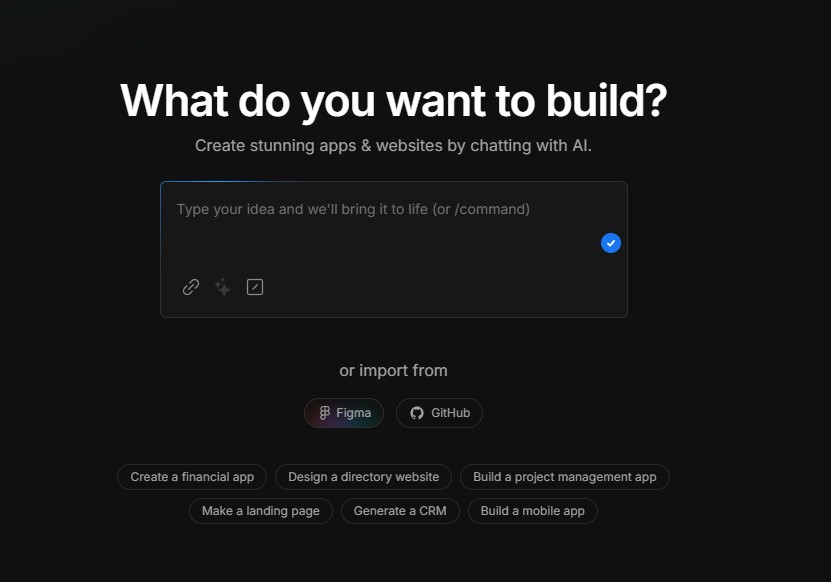
Bolt.new is an online code editor powered by an AI model. You write what you want to build in natural language, Bolt generates the code for the frontend and backend, runs it in a container inside your browser tab, and shows you the result live. You then make corrections with a new instruction, or directly in the code.
Unlike a traditional development environment, Bolt doesn't require you to know a programming language. You describe what you need, Bolt turns it into working files, and your job is to check that the result matches what you expected.
Who uses it: beginners, freelancers, startups
Three types of people use Bolt. Beginners with no programming experience get a working application by describing what they want. Freelancers ship a first version to clients faster and keep the code for later. Startup founders build an MVP without hiring a developer for the first version.
Why choose Bolt over another tool?
Compared with the alternatives to Bolt.new, three things work in Bolt's favor. There's no training to go through: the interface comes down to a chat area, an editor and a preview. You see a first page running within minutes, whereas a local environment means installing and configuring tools before you write your first line of code. And you aren't locked into a fixed template: Bolt produces a showcase site, an online store or an internal management tool depending on what you describe.
The free plan lets you try Bolt before paying, with a daily and monthly token quota detailed in the pricing section.
How does Bolt.new work?
How Bolt works: the prompt principle
You drive Bolt with prompts, which are instructions written in natural language. Instead of coding, you explain what you want and Bolt turns the request into working code.
To flesh out a prompt that's too short, Bolt offers an Enhance prompt feature:
- Write your request in the chat area.
- Click the "+" icon at the bottom left of the chat area, then "Enhance prompt".
- Answer Bolt's questions, and it generates a detailed version of your request.
Bolt also offers project templates as a starting point, so you begin from a base that already runs instead of a blank page.
The user interface, simply explained
Bolt's interface has three areas. The code editor shows the generated files; right-click a file and choose "Target file" to tell Bolt where to focus its changes. The chat area takes your prompts and shows the assistant's replies. The preview displays your application in real time, and a visual inspector lets you click an element on the page to change it with a prompt.
Bolt code: a look at the auto-generated code
Bolt edits code using diffs: it only rewrites the lines affected by your request, which saves tokens and limits regressions in the rest of the project.
Bolt generates a full-stack project, frontend and backend. The code runs immediately in the browser, with no local setup.
When something breaks, you ask Bolt to find and fix the error. Break complex requests into small steps: you'll pinpoint problems faster and use fewer tokens.
Bolt.new's main features
AI code generation
Bolt turns a sentence into files. "Build me a React app with a responsive navigation bar" is enough to get the structure, components and styling. When asked, Bolt reads compilation errors and fixes them, which saves you hours of debugging.
An intuitive, online interface
Bolt runs entirely in your browser, with no local installation. The screen is split in two: the conversation with the AI on the left, the code and its preview on the right. You keep your eyes on the project instead of on menus.
Full-stack support: frontend, backend, database
Bolt supports React, Vite, Next.js, Astro and Svelte on the frontend, and sets up a Node.js backend with Express. Your browser becomes a complete development environment.
Fast deployment with Netlify
Bolt integrates Netlify for hosting. You click "Deploy", Netlify publishes the application, and you get a public URL to share. You skip setting up a server and a deployment pipeline.
GitHub and Supabase integration
Bolt connects to GitHub for version control and to Supabase for the backend: a hosted SQL database, user authentication, and edge functions to expose an API. Add the Stripe integration and you can build an application with user accounts, data storage and payments.
Build your first application with Bolt.new
Step 1: Sign up and open the Bolt app
Go to bolt.new and create an account. There's nothing to install, since Bolt runs in the browser. The free plan is enough for a first test. Once you're logged in, you'll see the chat area you use to talk to the AI.
Step 2: Write an effective prompt
The quality of the result depends on the quality of the prompt. Before writing, pin down four things: the product to build, its users, its must-have features and its visual style.
Use "Enhance prompt" to turn "Build me a blog" into a description that specifies the pages, the technology and the expected design.
Step 3: Customize the generated interface
After generation, right-click a file and choose "Target file" to limit Bolt's changes to that file. The visual inspector lets you click an element in the preview to change it without hunting for the matching line of code.
Step 4: Test and fix errors
Work in small steps: one feature, one test, then the next. To analyze a problem without changing the code, switch to Plan mode: Bolt discusses and diagnoses without touching the project, and uses fewer tokens than Build mode. On a growing project, the npx knip command lists unused files and dependencies you can remove.
Step 5: Deploy your project
Click "Deploy" at the top right of the interface. Bolt publishes to Netlify and gives you a public URL. You can then transfer the site to your own Netlify account and link the project to a GitHub repository to track versions.
Bolt.new: strengths, limits and alternatives
Bolt AI's strengths
Bolt is fast at prototyping: a first version takes hours. Sidetool reports the case of a founder who built a CRM with invoicing in three weeks for €286.26 in tokens.
Bolt lowers the barrier to entry: if you can describe your product in plain English, you get a working application without any prior technical skills.
Limits to know about (design, complexity)
Bolt struggles with highly customized interfaces, such as in-house design systems and bespoke animations. Token consumption climbs on large projects; Trickle cites a user who burned through 1.3 million tokens in a single day.
On a complex application, Bolt quickly produces the core; the finishing touches take manual work, either in the code or through a series of targeted prompts.
Bolt reviews: what users say
Opinions are split. Happy users point to the speed from prompt to running application. The criticism, reported in the Trickle review mentioned above, focuses on Bolt rewriting entire components for a small change, which wastes tokens and sometimes breaks code that was working.
Bolt.new free or paid: pricing
Pricing as of September 15, 2026 on bolt.new/pricing, billed monthly.
| Plan | Price | Tokens | Included |
|---|---|---|---|
| Free | $0 | 300,000 per day, 1 million per month | public and private projects, hosting, Bolt banner on sites, files up to 10 MB |
| Pro | $25 per month | 10 million per month, no daily limit | no Bolt banner, custom domain, files up to 100 MB |
| Teams | $30 per month per member | everything in Pro | centralized team management |
Since July 1, 2025, unused tokens on a paid subscription roll over to the following month. Annual billing cuts the price by up to 28%, according to Bolt.
Bolt.new alternatives: what similar options exist?
If Bolt doesn't fit your needs, there are four similar tools. UI Bakery targets applications connected to existing APIs or databases. OpenBolt.dev is an open source version inspired by Bolt.new. Lovable focuses on interface design. Bubble suits applications with a lot of business logic, at the cost of a steeper learning curve. Our Cursor, Lovable and Bolt comparison covers these differences in detail.
Frequently asked questions
Does Bolt.new work offline? No. Bolt runs in the browser and relies on a remote AI model to generate code. You can export the project to GitHub and keep working in your local editor.
What happens when the free quota runs out? The Free plan caps usage at 300,000 tokens per day and 1 million per month. Once you hit the limit, you either wait for the reset or upgrade to the Pro plan at $25 per month, which removes the daily limit.
Can you get the code Bolt generates? Yes. You push the project to a GitHub repository or download the files, then work in your own editor. The code belongs to you.
Is Bolt.new a good fit for a startup MVP? Yes, for testing an idea with early users, with a Supabase database and Stripe payments. Our guide to vibe coding an MVP as a non-technical founder explains when to hand things over to a developer.
Building your first product with Bolt and looking for long-term support? swanbase backs early-stage founders in Paris and remotely, at no cost, by application; swanbase takes equity. Apply.