On one side is ChatGPT, a web interface you can start using in 30 seconds for $20/month. On the other is OpenClaw, an open source AI agent that runs on your own machine and sends no data to the cloud. Both are built on large language models and both answer your questions, but that's where the similarities end. ChatGPT is a reactive chatbot, while OpenClaw is a proactive autonomous agent. For a startup founder, the right choice depends on your technical skills, how much data privacy matters to you, and what you actually want to automate.
OpenClaw and ChatGPT: two philosophies of AI
ChatGPT: conversational AI for everyone
ChatGPT is OpenAI's conversational Swiss Army knife. You open a browser, type a question, and get an answer. No installation, no configuration, no server to maintain.
By early 2026, ChatGPT had grown well beyond a simple chatbot. Agent mode, Operator (automated web browsing), file analysis, DALL-E image generation, and plugin access all extend what it can do. With ChatGPT Pro at $200/month, you get the most powerful models and advanced features like Computer Use.
At its core, though, ChatGPT is still reactive. You ask it something and it answers. Close the tab and it stops. It doesn't run in the background, monitor your communication channels, or carry out tasks on its own.
OpenClaw: the self-hosted autonomous agent
OpenClaw takes a radically different approach. It's an open source AI agent that you install on your own machine (Mac, Linux, or a VPS) and connect to the messaging platforms you already use: WhatsApp, Telegram, Discord, Slack, Signal.
The fundamental difference is that OpenClaw is proactive. It runs in the background 24/7, keeps a persistent memory of your conversations, and can execute commands on your system. It doesn't live in a browser tab. It lives on your server, like a system service.
The Linux analogy fits well: open source, self-hosted, with full control in the user's hands. And just like Linux, it takes more technical skill to get the most out of it.
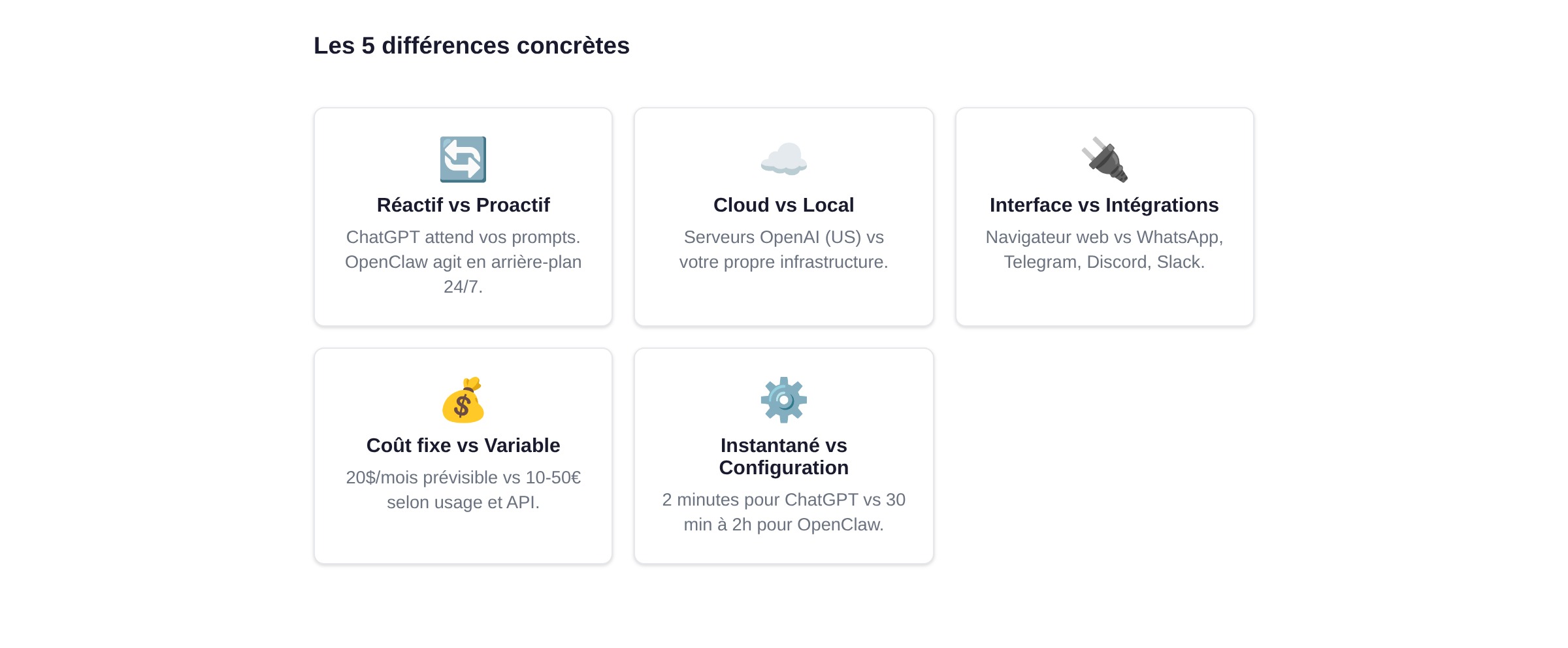
The 5 concrete differences
Reactive vs proactive
ChatGPT waits for your prompts: you ask a question, it answers. If you don't talk to it for a week, nothing happens.
OpenClaw can act without direct input from you. Set it up to monitor a Slack channel, summarize important discussions every morning, or automatically reply to certain types of messages on Telegram. It's the difference between an assistant waiting in the hallway and an assistant who anticipates what you need.
Cloud vs local
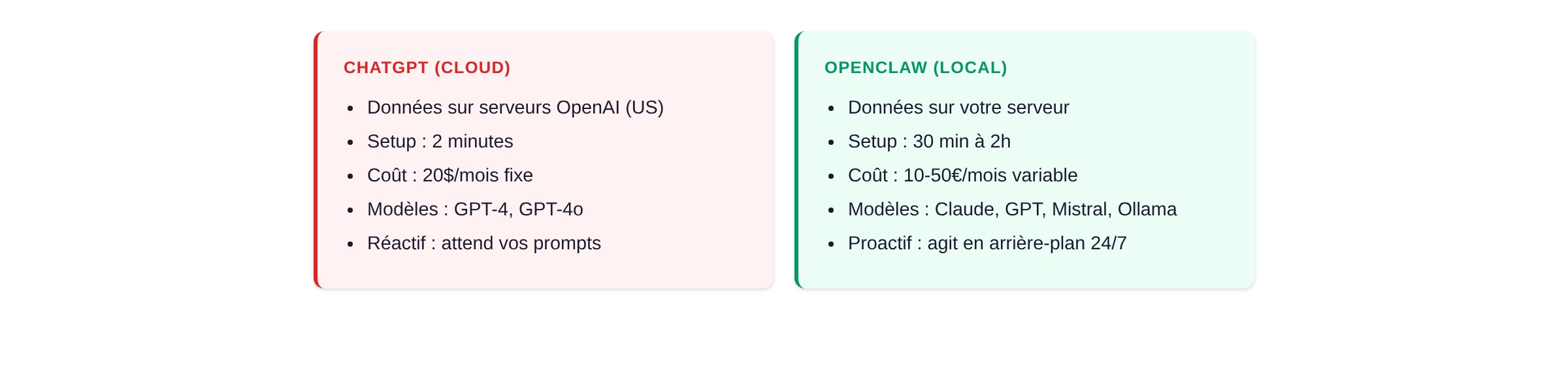
When you use ChatGPT, your conversations pass through OpenAI's servers in the United States. For many use cases, that's fine. For a startup handling confidential information (strategy, customer data, intellectual property), it's a legitimate concern.
OpenClaw runs entirely on your own infrastructure. Conversations, memory, processed files: everything stays with you. No data leaves your machine (except API calls to the LLM you've chosen, if you're not running a local model).
Interface vs integrations
ChatGPT lives in your browser (or the mobile app). It's one more tab among the 47 you already have open.
OpenClaw lives where you already communicate. It replies on WhatsApp when you send it a voice message. It's available in your team's Discord server. It answers on Telegram while you're on the road. There's no extra app to open.
Real cost
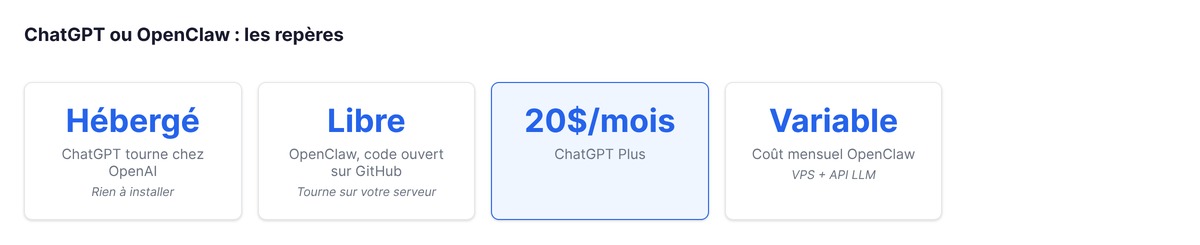
ChatGPT: $20/month for ChatGPT Plus (GPT-4, DALL-E, web browsing). $200/month for ChatGPT Pro (advanced models, Computer Use). Predictable and simple.
OpenClaw: the software is free. What you still pay for:
- Hosting: a VPS starting at €5/month (Hetzner, OVH), up to €20+ for a comfortable setup
- LLM API: Anthropic Claude or OpenAI GPT, billed by usage. Expect €5 to €30/month depending on how heavily you use it
- Time spent on setup and maintenance
For light use, OpenClaw can cost less than ChatGPT Plus. For heavy use, API costs can far exceed a ChatGPT subscription. The real savings come from running local models through Ollama, provided you have the right hardware.
Instant setup vs technical configuration
ChatGPT: you create an account and start. Setup time: 2 minutes.
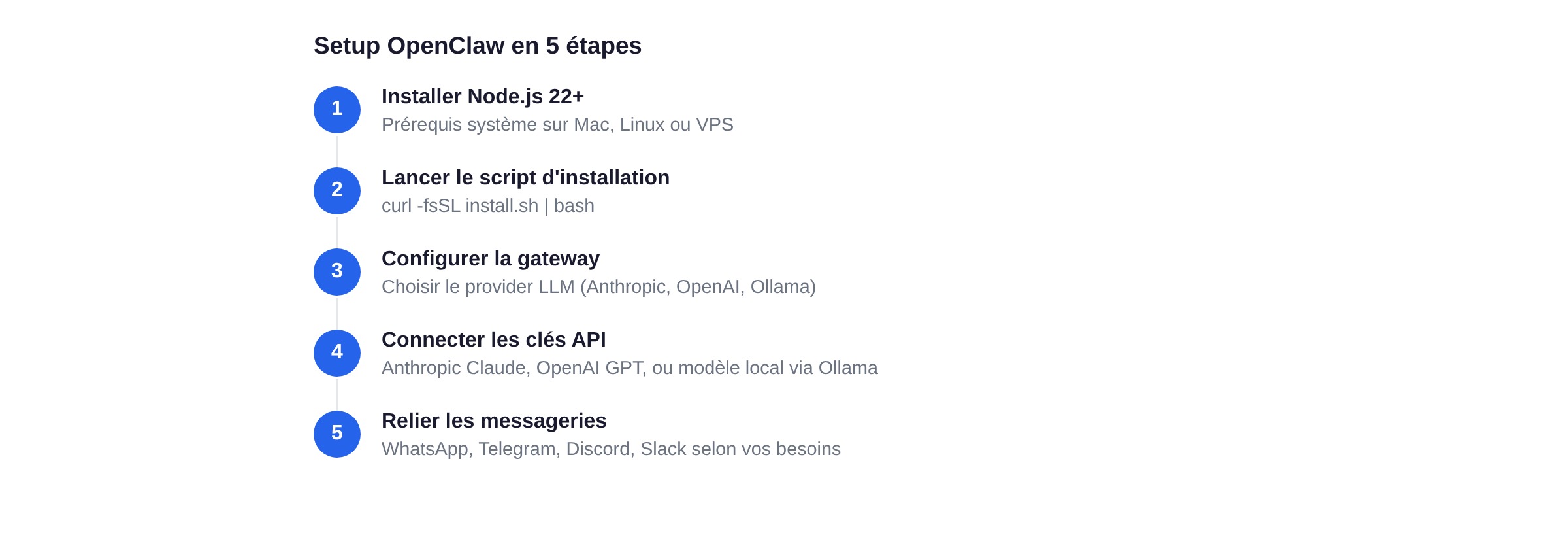
OpenClaw: you install Node.js 24 (recommended) or 22.16+, run the install script, configure your gateway, connect your API keys, link your messaging platforms, and set up your security policies. Realistic setup time: 30 minutes to 2 hours (if everything goes smoothly).
Quick comparison table
| Criteria | ChatGPT | OpenClaw |
|---|---|---|
| Type | Cloud chatbot | Self-hosted autonomous agent |
| Installation | None (browser) | 30 min to 2h |
| Data | OpenAI servers (US) | Your machine |
| Monthly cost | $20 (Plus) / $200 (Pro) | €10 to €50 (VPS + API) |
| Models | GPT-4, GPT-4o | Claude, GPT, Mistral, Ollama |
| Messaging apps | No (app/web only) | WhatsApp, Telegram, Discord, Slack |
| Autonomy | Reactive (prompt, then response) | Proactive (background tasks) |
| Open source | No | Yes (MIT) |
| Memory | Limited to the session | Persists across sessions |
When to choose ChatGPT
ChatGPT is the right choice when you want to get started right away: you pay and you use it, with no server to prepare and no configuration to write. It covers conversational needs like writing, brainstorming, research, document analysis, and image generation, where each interaction is a one-off. A non-technical team can pick it up without knowing what Docker or an API key is. And as long as your privacy requirements are light, such as marketing brainstorms or content writing, data concerns take a back seat.
At the early stage, ChatGPT on its own already covers the most common use cases.
When to choose OpenClaw
OpenClaw really shines when you want to automate recurring tasks: summarizing Slack discussions every morning, answering frequently asked questions on Telegram, processing emails according to specific rules, all in the background with no manual input. It also pays off when the confidentiality of your customer data, strategy, and intellectual property is non-negotiable, since nothing leaves your server. The assistant sits right inside WhatsApp, Discord, or Slack, with no extra tab to open. And you stay in control of both the model and the bill: Claude, GPT-4, Mistral, or a local model, with settings you tune yourself and billing limited to what you actually use.
If at least two of these situations sound familiar, OpenClaw deserves a closer look. Our complete OpenClaw guide walks through installation step by step. And if you're weighing several open source tools, check out our comparison of OpenClaw alternatives.

Where does Claude Code fit in?
Among AI tools for founders, there's a third option worth mentioning: Claude Code.
Claude Code is neither a chatbot like ChatGPT nor a multi-platform agent like OpenClaw. It's a development assistant that lives in your terminal. It understands your codebase, suggests changes, runs commands, and helps you build faster.
The distinction matters:
- ChatGPT = general-purpose conversational AI (cloud)
- OpenClaw = multi-platform autonomous agent (self-hosted)
- Claude Code = coding assistant in the terminal (cloud + local)
These tools don't compete head to head. A technical founder can easily use Claude Code for development, ChatGPT for brainstorming, and OpenClaw to automate customer support on Telegram. The era of "one AI tool for everything" is over. You'll get more out of splitting the roles this way than out of crowning a single winner.
To understand what vibe coding changes for startups, check out our dedicated guide.
FAQ
Can OpenClaw replace ChatGPT?
Not really, and that isn't what it's designed for. OpenClaw excels at automating recurring tasks and integrating with your messaging apps. ChatGPT excels at one-off conversations and content generation. The two tools complement each other. Use ChatGPT when you need a quick answer, and OpenClaw when you want to automate a process.
Is ChatGPT safer than OpenClaw?
It depends on your perspective. ChatGPT sends your data to OpenAI's servers, but it benefits from professional security infrastructure, regular audits, and SOC 2 compliance. OpenClaw keeps your data local, but a poorly configured instance is exposed to the internet and opens up vulnerabilities. So ChatGPT carries a privacy risk, with your data held by a third party, while OpenClaw carries an operational security risk, with your installation in your own hands.
What does OpenClaw really cost per month?
For moderate personal use, expect between €10 and €30/month. That covers a VPS (€5 to €10 with Hetzner or OVH), API calls to the LLM of your choice (€5 to €20 depending on usage), and optionally a free Brave Search key. If you run local models via Ollama, you save on API costs but need more powerful hardware. ChatGPT Plus at $20/month often comes out similar in total cost, but without the control or the autonomy.