Learning vibe coding means learning to get an AI to write code, test it, and iterate. Not becoming a developer. In 2026, a non-technical founder can ship a useful mini-project in one afternoon, as long as they understand three things: which tool to pick for their project (Lovable and Bolt for visible web work, Cursor and Claude Code for editable code), how to write a prompt that works (Goal + Stack + Style + Constraints + Edge cases), and how to react when the AI gets stuck or hallucinates. This guide takes you from zero to your first project by following 5 steps, with a prompt template to copy and 3 annotated examples. By the end, you'll also know how to recognize when vibe coding no longer cuts it and it's time to move to real code, or hire a dev.
What is vibe coding, in 3 sentences
An operational definition
Vibe coding means describing in plain language (French or English) what you want a piece of software to do, and letting an AI write the code for you. You don't type syntax, you describe intent. You test the result in your browser, you fix things in the next prompt, you move forward.
It differs from no-code (Bubble, Webflow) on one point that matters: vibe coding produces real source code. Deployable, editable, exportable. If you change your mind in six months, you can take your code and hand it to a human dev. No proprietary lock-in.
For the origin of the term, its inventor, and the 2025-2026 market context, the pillar vibe coding: definition, tools, and complete guide covers all of it. This guide assumes you already understand what it is and now want to get started.
The difference from traditional programming
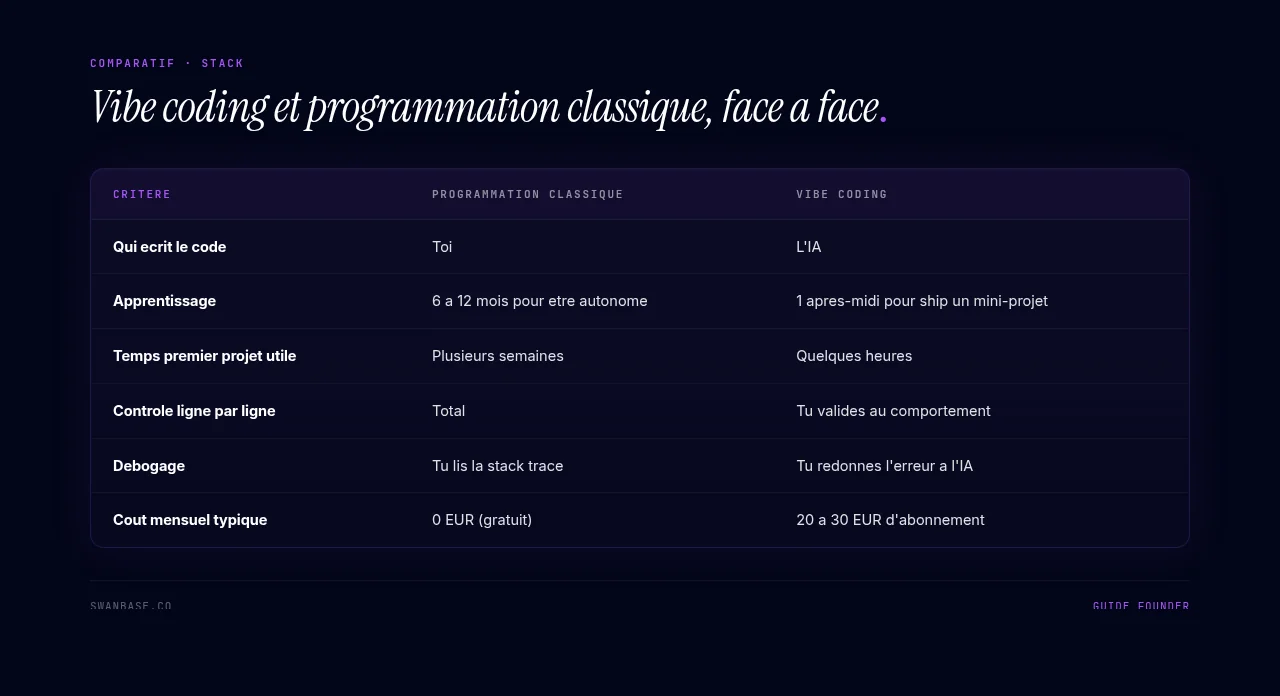
| Traditional programming | Vibe coding | |
|---|---|---|
| Who writes the code | You | The AI |
| Learning curve | 6-12 months to be self-sufficient | 1 afternoon to ship a mini-project |
| Time to a useful first project | Several weeks | A few hours |
| Line-by-line control | Total | You validate by behavior |
| Debugging | You read the stack trace | You feed the error back to the AI |
| Typical monthly cost | €0 (free) | €20-30 tool subscription |
The core difference: with traditional code, you learn a language. With vibe coding, you learn to direct a team (of one AI agent) that already speaks that language. Your job becomes that of a brief writer + product manager + tester. It isn't simpler, it's different.
Before you start, what you'll need
Free tools vs paid tools
You can learn vibe coding while staying on the free plan of three major tools: Lovable, Bolt.new, Cursor (limited free tier). For a first afternoon of exploration, free is more than enough. You'll hit the daily prompt limit, but by then you'll know whether the tool suits you.
To ship a project that's "actually useful," budget a subscription of €20-30 per month on whichever tool you end up choosing. A ridiculous cost compared to any other way of putting a web product online.
How much time to set aside for your first project
For a non-technical founder who has never touched Lovable, Bolt, Cursor, or Claude Code, here's the honest timeline:
- 2 hours of exploration: test two different tools with the same simple prompt, compare the results, pick your favorite.
- 5 hours on your first project: pick a specific mini-project (landing page, todo list, calculator), scope it, prompt it, iterate until it works.
- 1 hour of polish: a clear title, a favicon, deploy it online, share the link.
Total: one afternoon (8 hours). Nobody tells you this, but it's exactly what it takes to go from "I've heard about it" to "I've got something live."
Step 1. Choosing your first tool
The 2026 vibe coding market has four dominant tools for getting started. All four work. The right choice depends on what you want to do first.
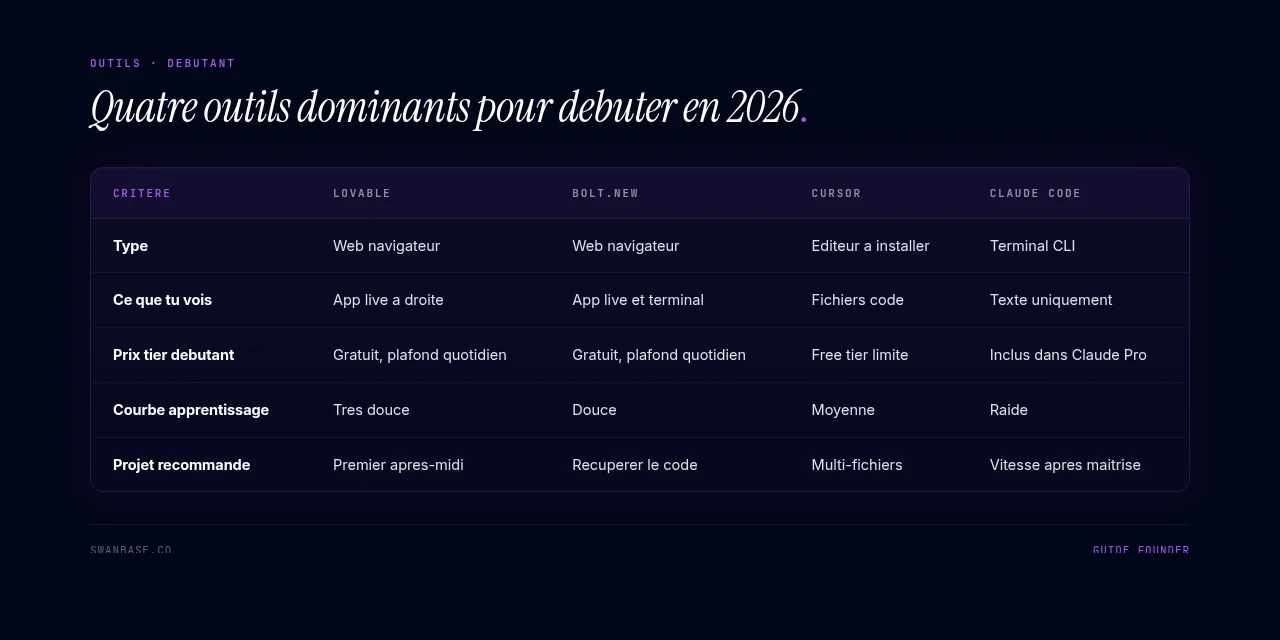
Lovable, Cursor, Bolt, Claude Code: which one for a complete beginner?
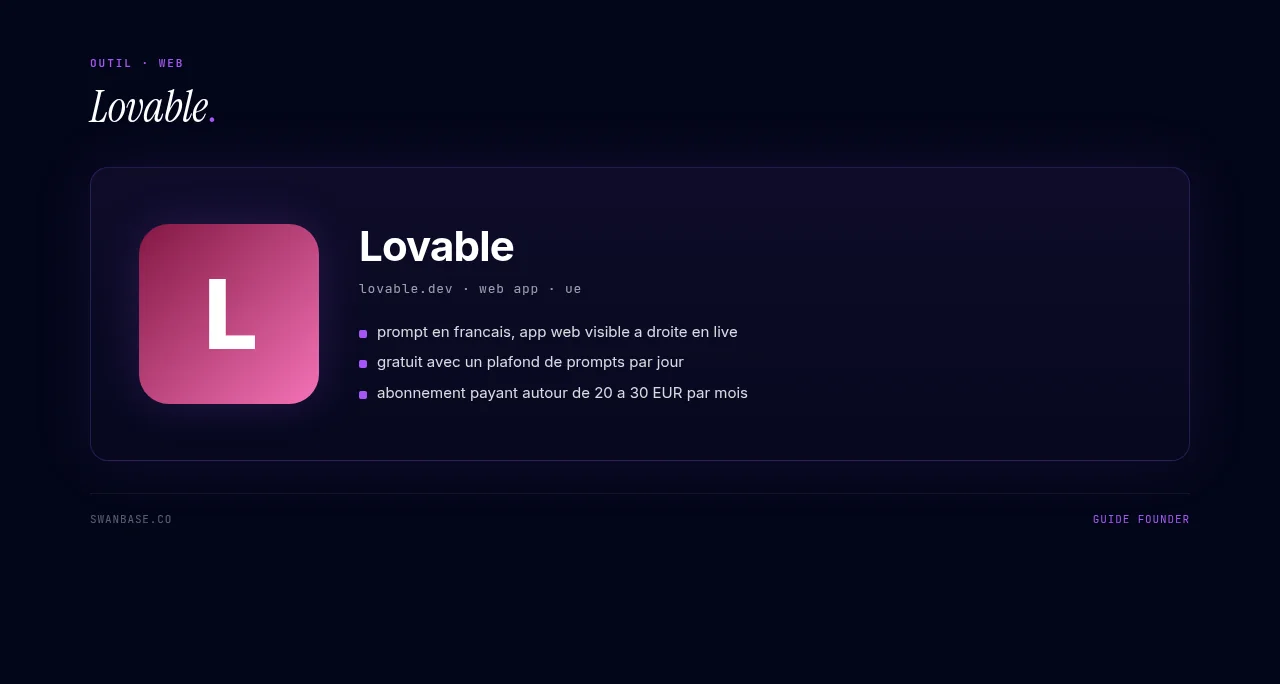
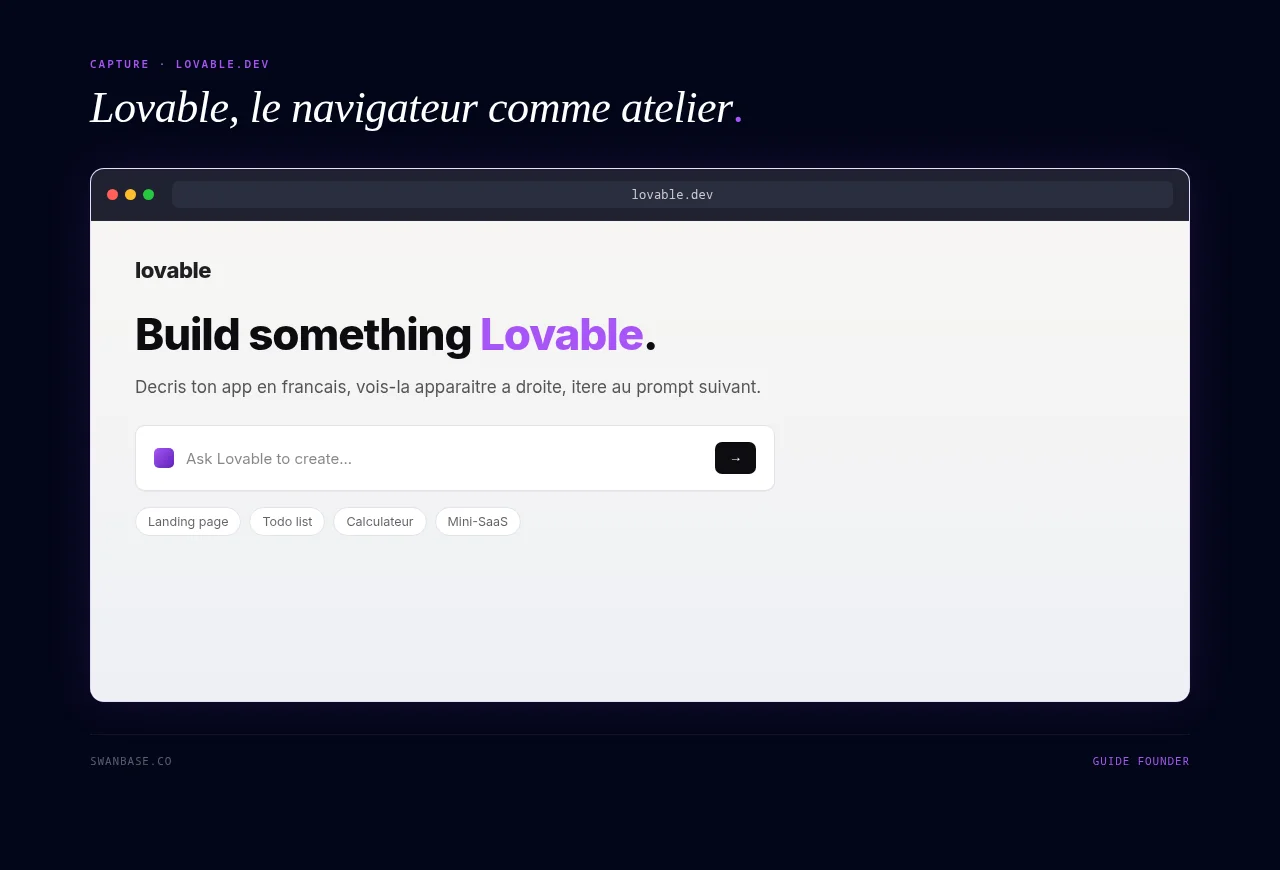
Lovable is a web tool that runs in your browser. You write what you want in a text field, the AI builds a web app, and you see the result live on the right side of your screen. Visual, reassuring, ideal for your very first session. The beginner tier is free with a daily prompt limit, and the paid step-up is around €20-30 per month.
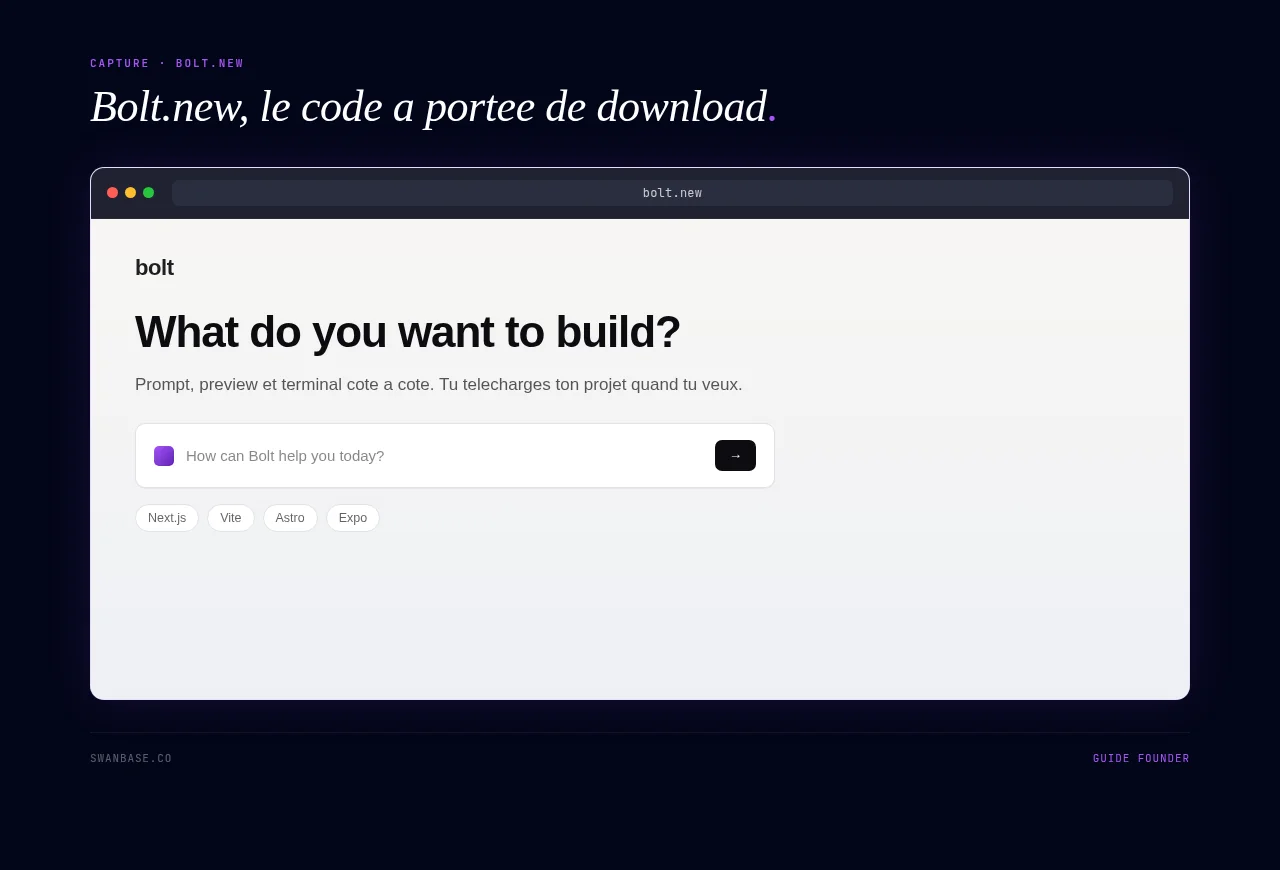
Bolt.new is close to Lovable in philosophy (prompt → visible web app immediately), with a more engineer-oriented execution (a visible terminal, and you can download your project and finish it elsewhere). It's the tool I recommend if you want to be able to grab your code from day one without depending on the platform. Limited free plan, paid plan around $20 per month.
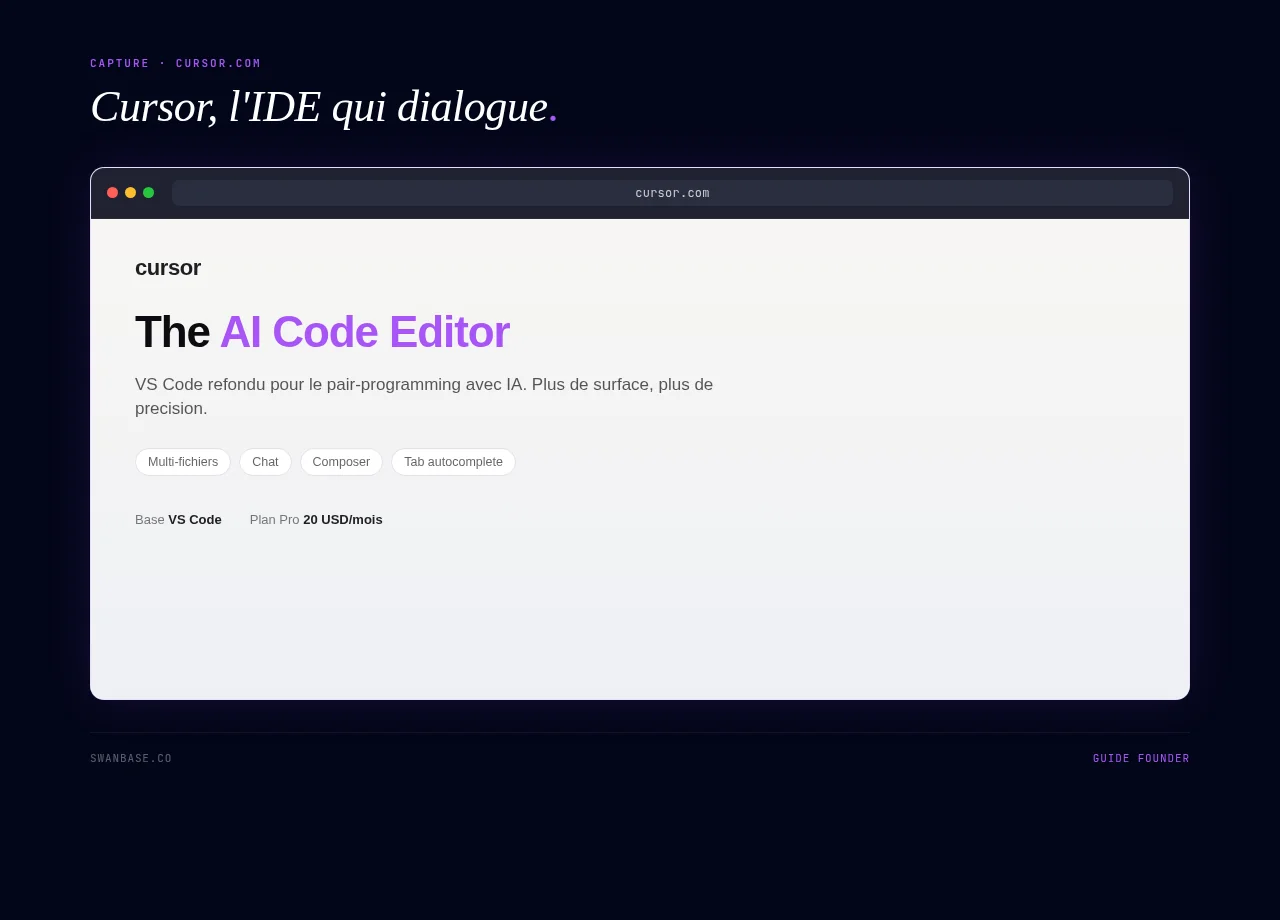
Cursor is not a browser tool. It's a code editor you download (built on VS Code) with AI models baked in. You see your project's files, and the AI edits them right in front of you. More powerful than Lovable and Bolt for projects that go beyond a simple web page, but the interface is intimidating at first. Save it for your second week, not your first afternoon.
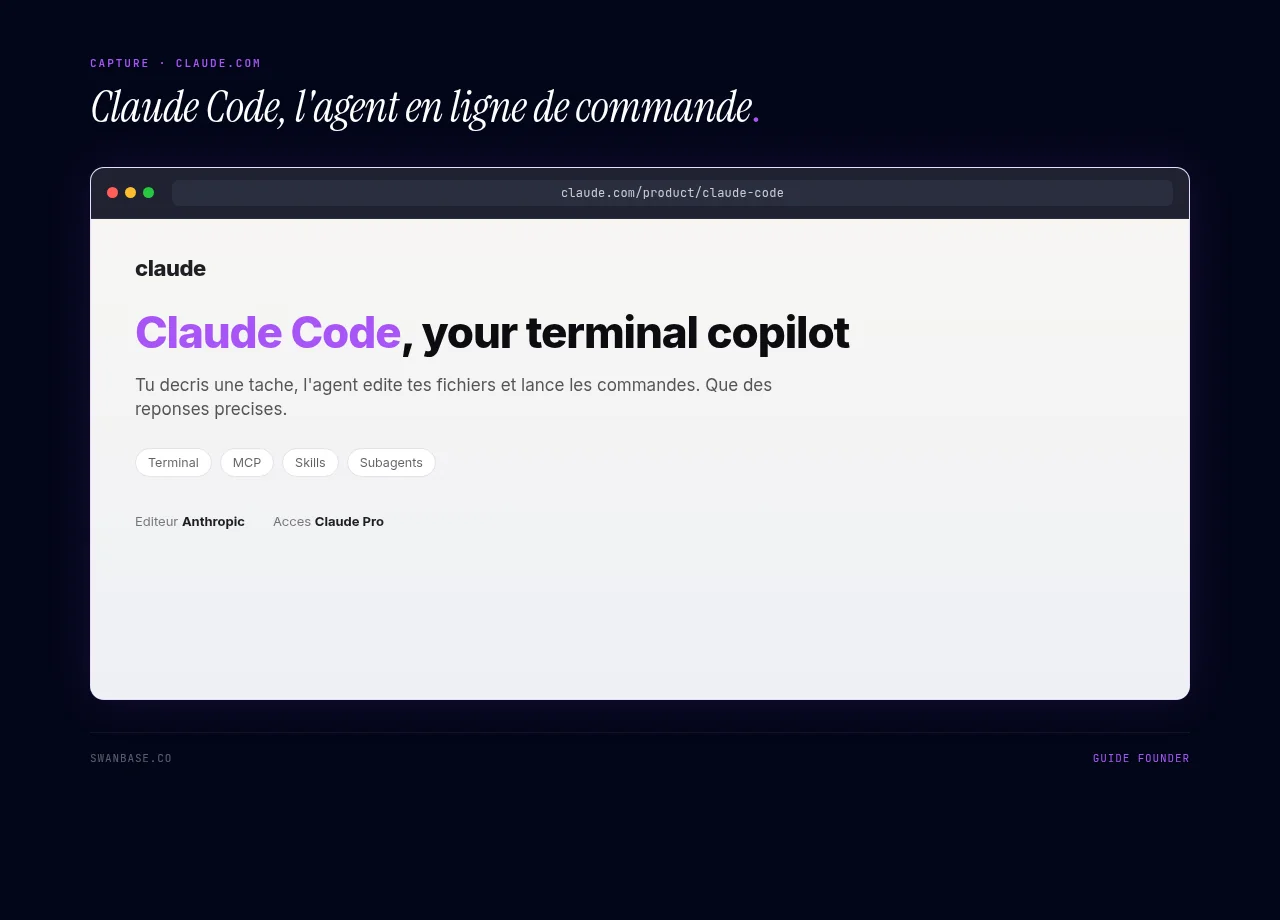
Claude Code is the most minimalist of the lot: a terminal. You run a command, describe what you want to Claude, and it edits your files. Zero graphical interface. It's the most precise and fastest tool once you know what you're doing, but it's not the right choice for beginners.
swanbase recommendation for your first afternoon: start with Lovable or Bolt. You watch your app take shape, you miss nothing. You'll move to Cursor or Claude Code once the initial magic has worn off.
For a detailed, feature-by-feature comparison, the guide vibe coding tools compared: Cursor, Lovable, Bolt goes into the details.
Step 2. The prompt: anatomy of a good brief
This is the central skill of vibe coding. Far more important than the choice of tool. A bad prompt will have you spinning for two hours in a perfect tool. A good prompt delivers a usable prototype in fifteen minutes in a mediocre one.
The "Goal / Stack / Style / Constraints / Edge cases" template
Here's the template to copy into a text file and reuse for every new project:
GOAL: [One sentence describing what your app should do, from the end user's point of view.]

STACK: [The type of product: web, mobile, API. The services to wire in: auth, database, payment.]

STYLE: [3 words for the design + 1 existing visual reference.]

CONSTRAINTS: [What's non-negotiable: screen size, browser, language, performance.]

EDGE CASES: [3-5 situations where your app must behave well: user typing gibberish, network loss, double click, etc.]
5 blocks. Not one more. You can paste it into any vibe coding tool and the AI will have everything it needs to get going.
3 annotated examples (from bad to good prompt)
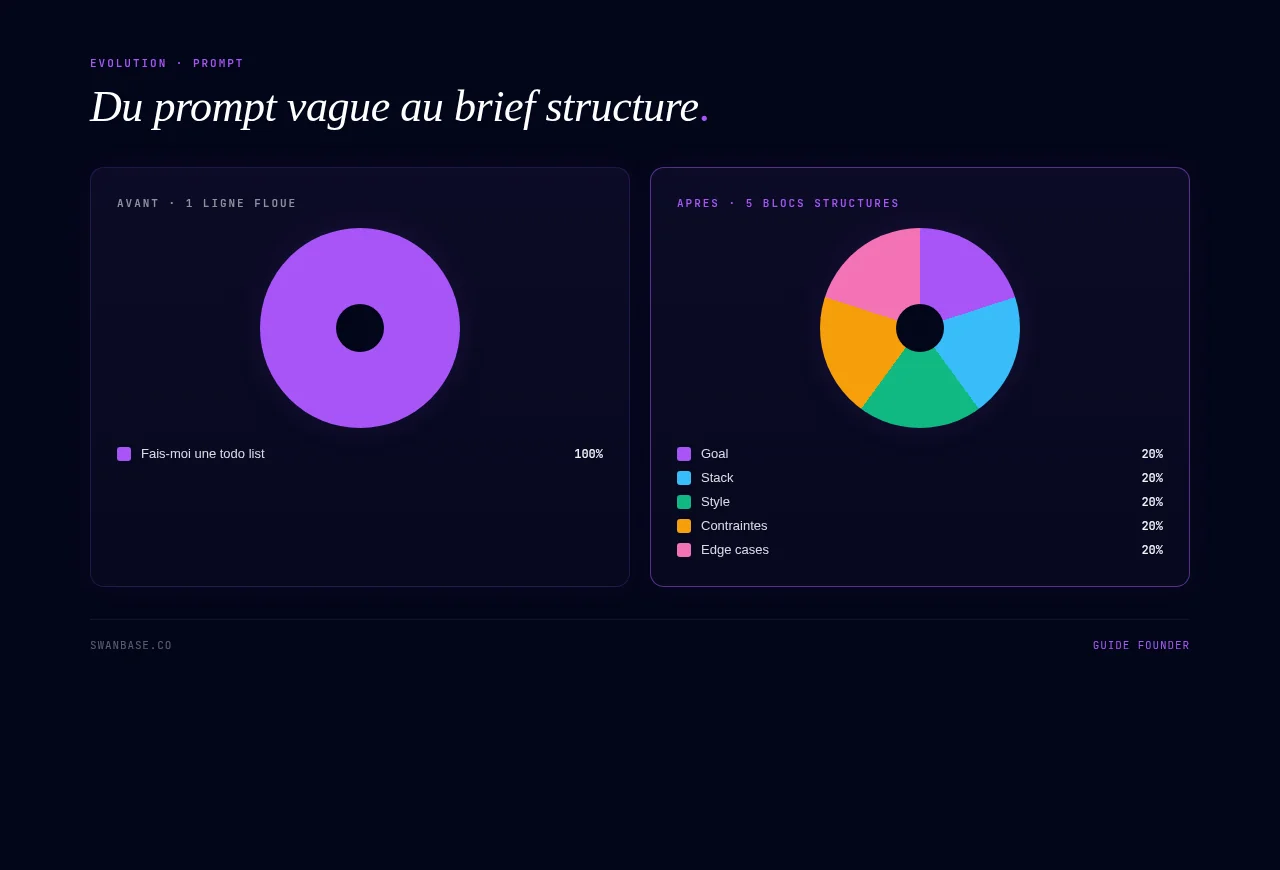
Level 1, the vague prompt (don't do this):
"Make me a todo list."
What the AI will hand you: a generic todo list, ugly design, no data persistence, none of what YOU had in mind. You'll lose 30 minutes fixing what could have been briefed properly from the start.
Level 2, the decent prompt (what most people write):
"Create a todo list in React with adding and removing tasks. Modern, dark design."
Better. The AI knows which stack to use and which design direction to take. But it's missing persistence, constraints, edge cases. The result: your app empties out on every refresh, and you'll discover that at the worst possible moment.
Level 3, the complete prompt (use this):
GOAL: A personal todo list for a founder: I note tasks, I check them off, I delete them. Everything stays put when I refresh the page.
STACK: Web app (React + localStorage, no backend). No auth.
STYLE: Minimalist, dark, dense (3 columns: to do / in progress / done). Inspiration: Linear.
CONSTRAINTS: Mobile-first. Readable in bright sunlight. A single page.
EDGE CASES: Empty task (block the submit). Special characters in the title. More than 200 tasks without slowing down. Checking / unchecking a task updates the counter at the top.
The result: the AI delivers something close to what you had in mind from the very first prompt. You spend the rest of your time iterating on polish, not patching holes in the brief.
Golden rule: a good vibe coding prompt contains five things: a goal, a stack, a style, constraints, and edge cases. If even one is missing, the AI will improvise, often badly.
Step 3. Your first mini-project (walkthrough)
Pick a project that's small but useful
For your first project, aim for something you'd use yourself the following week. It's the only way to have the motivation to finish and to actually test it.
Three ideas that work in a single afternoon:
- A pre-launch landing page for an idea you have in mind (headline, description, email field, signup counter). Useful, showable, sellable.
- A personal todo list with your workflow (3 columns, tags, keyboard shortcuts). If you cycle through 5 different ones a month, this one will follow your rules.
- A domain-specific calculator for your case (CAC, runway, or margin calculation for your sector). More useful than the 47th version out there on the web.
What to avoid for this first project: a multi-user app with auth, payment, and notifications. You'll get there, but not on day one. Today's goal: ship.
Ship, test, fix, ship again
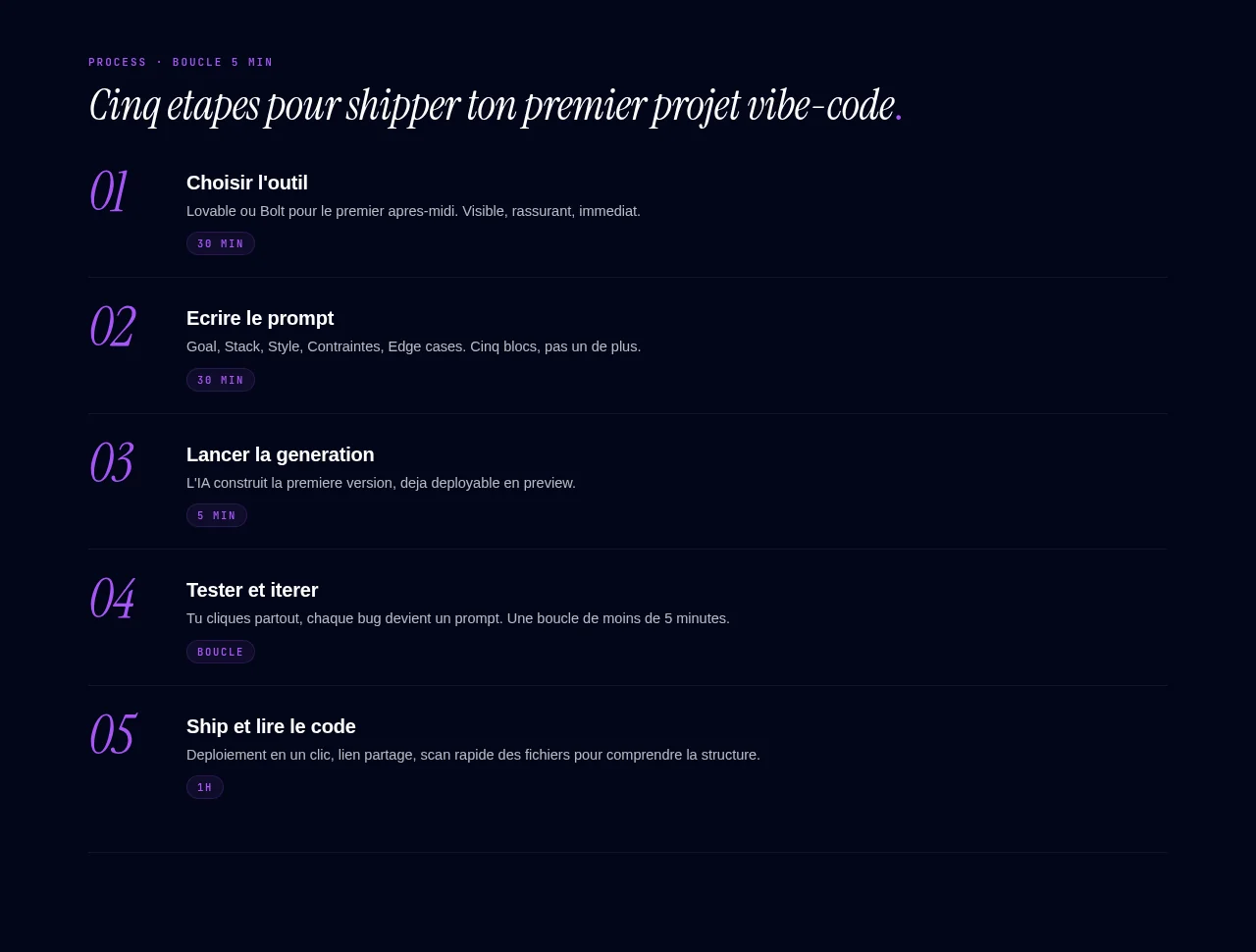
Once your initial prompt is sent, you enter a loop:
- Generate: the AI builds the first version.
- Test: you use the app like a real user. You click everywhere. You type gibberish. You open it on mobile.
- Fix: every bug becomes a prompt. "The submit button doesn't work when the field is empty, add an error message." "The text color isn't readable on mobile, force the contrast."
- Ship: you deploy (Lovable and Bolt do this in one click), you drop the link somewhere (Twitter, Discord, a friend), you watch the reaction.
The real rule of vibe coding: each iteration should take less than 5 minutes. If you feel like you're going in circles on the same bug, change your angle. Reframe the problem. Give more context. Or start that module over from scratch with a more precise prompt.
Step 4. Reading the code the AI wrote for you (without panicking)
You don't have to understand everything. But you do need to be able to recognize what you're looking at. That's the difference between flying a plane and being a passenger.
4 visual patterns to recognize
Open your code file in the tool. You'll see 4 broad families of blocks:
- The imports at the top (lines starting with
importorfrom): these are the external building blocks your project uses. If you seeimport React, your app is in React. If you seefrom supabase, it talks to a Supabase database. You can ignore the detail, just learn to recognize the names. - The functions (
function ...orconst ... = () =>): these are your app's actions. "Add a task," "delete a task," "save locally." A clear function name means the AI structured things well. - The JSX / HTML (the
<div>,<button>tags, etc.): this is your interface. Changing a piece of text shown to the user usually happens here. - The styles (Tailwind classes like
className="bg-black text-white p-4"or a CSS block): this is the appearance. Changing a color or a spacing is set here.
You don't need to write these blocks. You just need to know they exist and to recognize which family you're in when you read a file.
When to ask the AI to explain
At any moment, you can ask your tool: "Explain to me what this file does in plain language, as if I'd never coded." You'll get an answer in 4-5 clear lines. Do it for every important file in your first project. Three sessions like that and you'll have a clean mental map of what a web project is.
It's the best crash course in coding that exists in 2026. Not an €8,000 bootcamp. Not a MOOC that makes you slog through Python for 6 weeks. Just: "explain it to me." On repeat.
Step 5. When to move to "real" code (or to a dev)
Signs that vibe coding no longer cuts it
Vibe coding has real limits. No shame in hitting them, it's actually a sign you're progressing. Here are the 4 clear signs you've reached the ceiling:
- The AI goes in circles. You ask for the same fix three times, and each time it breaks something else. The project has grown too big for its context.
- You need guarantees. Sensitive data, payments, GDPR compliance, health information: you need a human who signs off on security.
- You're aiming for more than a few thousand active users. You'll need optimizations that vibe coding doesn't do by default.
- You genuinely want to understand what's going on. That's healthy. At that point, you either learn a solid foundation or you surround yourself with people who have it.
What to do next: learn the basics or hire
Two healthy paths, to choose based on your appetite and your time:
- Learn the basics of the stack you use (HTML, CSS, JavaScript, a bit of React, a bit of SQL). 3 months at a few hours a week and you'll read your code without help. You keep vibe coding, but you steer better. Ideal if you want to stay a solo founder for a long time.
- Hire a human dev to take over. You hand them the code, they audit it, they refactor the critical parts, they carry on. Ideal if you want to focus on the product and on sales.
On the agency vs freelance vs hired-dev decision, the guide vibe coding: agency or do it yourself breaks down the costs and the decision framework.
Classic mistakes to avoid (10 seconds)
Three mistakes you'll want to sidestep from your very first project:
- Leaving an API key in plain text in the code. If the AI generates code containing a visible
sk-...orSTRIPE_SECRET=..., take it out and use your tool's "secrets" or "environment variables." Otherwise, anyone can dig into your account. - Never rereading what the AI wrote. No need to understand it, just to scan it. An 800-line file to display a button is suspicious.
- Confusing a prototype with something "release-ready." Your first project isn't ready for 1,000 paying users. It's ready to test your idea. Don't put it into commercial production without an audit.
For the full 10 mistakes with a severity × probability matrix and a recovery checklist, the guide vibe coding mistakes: the 10 traps is the logical follow-up to this article.
FAQ
Do you need to know a bit of coding before trying vibe coding?
No. Strictly zero technical prerequisite to open Lovable or Bolt and get a result. You'll pick up bits of vocabulary along the way (component, database, deployment) because the AI will use them, and that's exactly right: you learn by doing, in the right order. If you already tinker with HTML or Python, you'll go faster, but it's not the price of entry.
Is vibe coding just for beginners?
It's the opposite. Andrej Karpathy, who coined the term, is a co-founder of OpenAI, a former director of AI at Tesla, and a Stanford PhD. In 2026, roughly 25% of startups in the latest Y Combinator batch have codebases that are mostly AI-written. Vibe coding isn't lesser development, it's a shift in the layer of abstraction. The same one code itself went through when we moved from assembly to Python.
What monthly budget should I plan for the tools?
For learning and your first projects: €0 to €30 per month. You can stay on free plans during your discovery phase (Lovable, Bolt, and Cursor all have a free tier). Once your first serious project is live, budget €20-30 per month for the main tool you've chosen. Add €25 if you connect a database like Supabase Pro and Stripe's 1% on any sales you make. You're a long way from the cost of a freelance developer.
Can vibe coding replace a developer?
For an MVP, an internal tool, a landing page, an investor demo, a domain-specific calculator: yes. For a critical product serving 50,000 users with payments, sensitive data, and a contractual SLA: no. The right 2026 use of vibe coding isn't "replace a dev," it's "no longer needing a dev for the 80% of cases where we used to roll out the heavy artillery." For the remaining 20%, a human dev stays indispensable, and is even better served: they work on what truly matters.