MCP (Model Context Protocol) is an open source standard that lets Claude Code plug into external tools and data: your GitHub, your database, a browser, your Sentry. Without MCP, Claude only knows your code. With an MCP server connected, it reads your issues, queries your database, and acts on those systems directly, instead of working off whatever you paste into the chat by hand. In practice, you add a server with the claude mcp add command, and Claude Code can connect to hundreds of tools listed in the official directory. Here's what MCP is, how to add and configure a server, which ones are worth it when building an MVP solo, how to build your own, and the trap almost everyone falls into.
What is MCP (Model Context Protocol)?
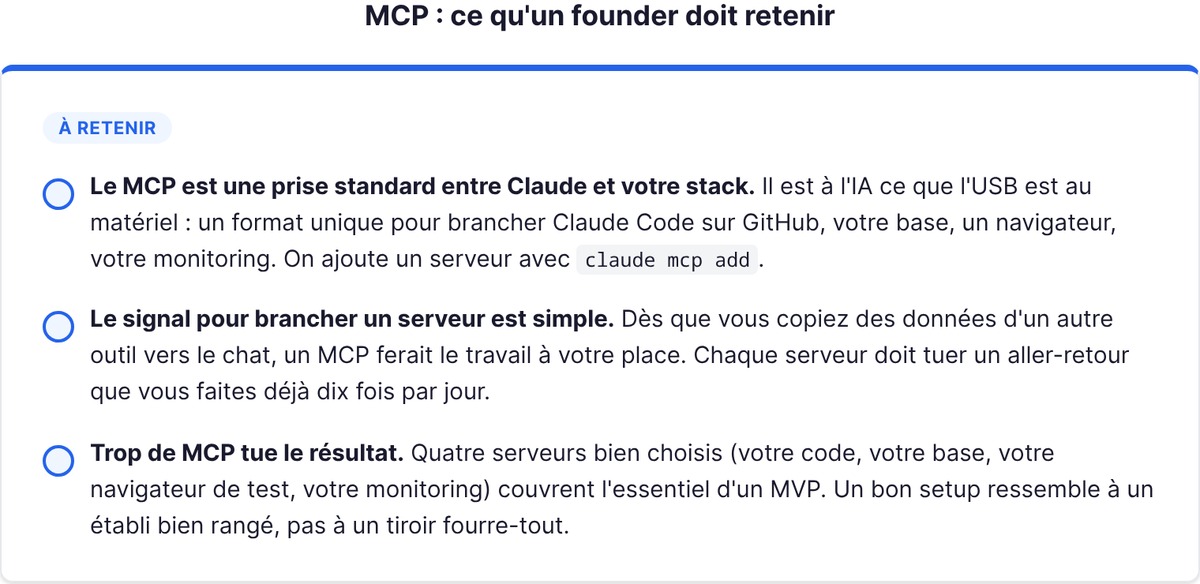
MCP is a standard plug between Claude and the rest of your stack. The Model Context Protocol is an open standard for integrations between an AI and tools: any service that exposes an MCP server can be plugged into Claude Code, and Claude then gains access to its functions.
The analogy that works: MCP is to AI what USB is to hardware. Before USB, every device had its own proprietary connector. Since then, one port for everything. MCP plays that role: a single format to connect Claude to GitHub, a PostgreSQL database, a browser, or your monitoring tool, without reinventing the integration every time.
The signal to plug in a server is simple: the moment you catch yourself copying data from another tool into the chat (an issue, a log, a database row), that's a sign an MCP would do the job for you. Once connected, Claude reads and acts on that system live. You go from "I copy-paste the JIRA ticket" to "implement the feature described in ticket ENG-4521 and open a PR on GitHub." The difference isn't cosmetic: Claude works on the real, up-to-date data, not your rough summary.
What this unlocks concretely, once you've plugged in a server or two: implementing a feature described in a ticket then opening the PR, analyzing your monitoring data, querying your database to pull a list of users, bringing in the latest Figma designs, automating email draft sending. All of these are tasks where Claude used to be useless to you because it had no access to the data. MCP gives it that access.
One point that matters for a founder: MCP doesn't replace a skill. A skill tells Claude how to do something (a procedure). An MCP gives it access to something (a tool, some data). The two complement each other rather than compete.
How to add and configure an MCP server in Claude Code
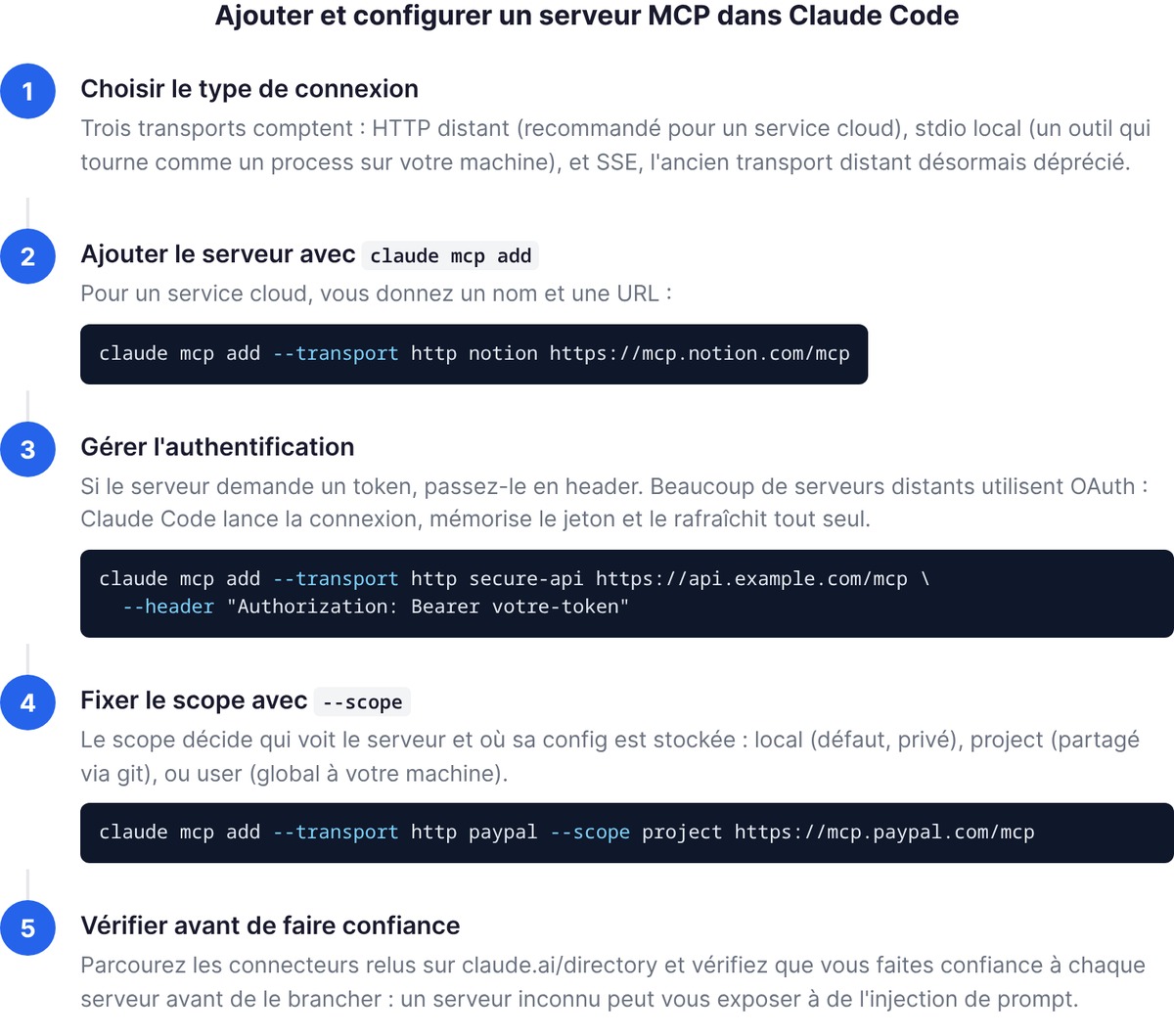
Adding an MCP server in Claude Code comes down to one command: claude mcp add. What changes is the connection type. There are three that matter.
Remote HTTP server (recommended). This is the most common case for a cloud service. You give a name and a URL:
claude mcp add --transport http notion https://mcp.notion.com/mcp
If the server requires authentication, you pass a token in a header:
claude mcp add --transport http secure-api https://api.example.com/mcp \
  --header "Authorization: Bearer votre-token"
Local stdio server. For a tool that runs as a process on your machine. The double dash -- separates Claude's options from the command that launches the server:
claude mcp add --env AIRTABLE_API_KEY=VOTRE_CLE --transport stdio airtable \
  -- npx -y airtable-mcp-server
SSE server. The old remote transport, now deprecated. If a service still offers it, prefer its HTTP version where one exists.
Many remote servers use OAuth rather than a hardcoded token: on first use, Claude Code starts the connection, remembers the token and refreshes it on its own. If a session ends up rejecting it, the /mcp panel offers to re-authenticate. So you don't have to manage tokens by hand for these services.
To find reliable servers, browse the official connector directory at claude.ai/directory: these are reviewed servers that you add with the same claude mcp add command. Here's a security warning that isn't optional: make sure you trust each server before plugging it in. A server that fetches external content can expose you to prompt injection. Don't connect an unknown MCP out of curiosity.
Project vs global scope: where to configure what
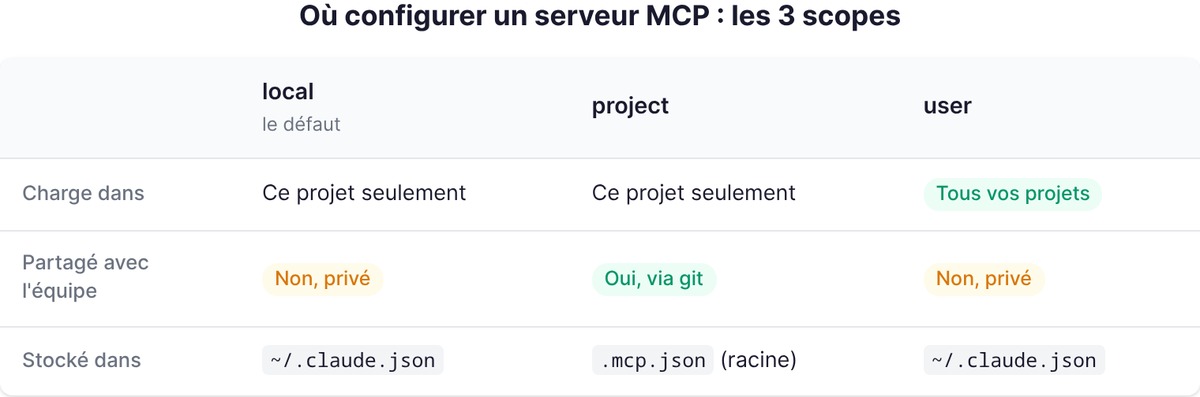
This is the question that trips everyone up. When you add a server, you choose a scope, and that scope decides who sees the server and where its config is stored. There are three options.
| Scope | Loads in | Shared with the team | Stored in |
|---|---|---|---|
| local (default) | This project only | No, private | ~/.claude.json |
| project | This project only | Yes, via git | .mcp.json at the root |
| user | All your projects | No, private | ~/.claude.json |
The founder logic:
- local: your default. A personal, experimental server, or one with credentials you absolutely don't want to commit. It follows only you, on this project.
- project: when the whole team needs the same tools. The server is written into a
.mcp.jsonat the root, which you commit. Everyone gets the config by cloning. Claude Code asks for approval before using a project server, as a safeguard. - user: a server you want everywhere, across all your projects (your knowledge base, your search tool). Private, but global to your machine.
You set the scope with --scope (or -s):
claude mcp add --transport http paypal --scope project https://mcp.paypal.com/mcp
Checking that an MCP server is running
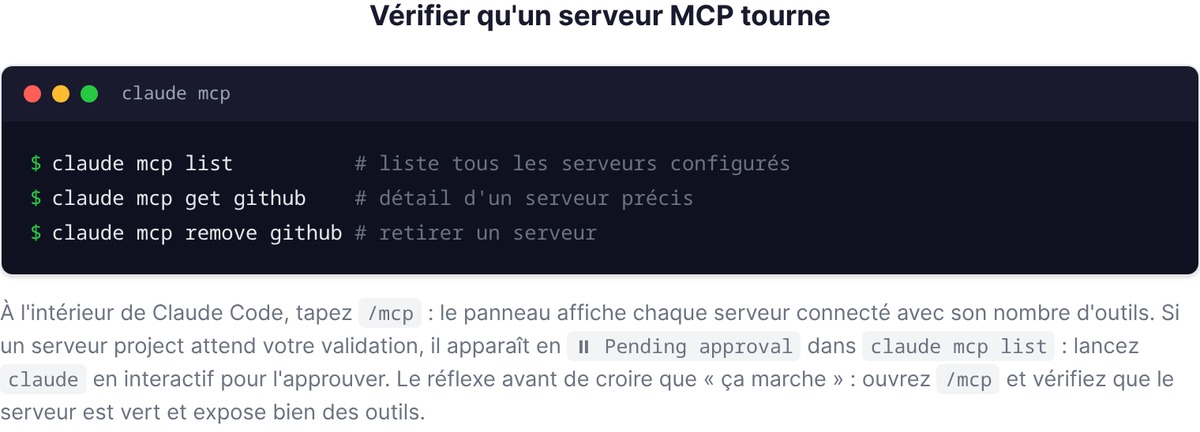
A server you've added is only useful if it's actually connected. Three commands to find out:
claude mcp list          # liste tous les serveurs configurés
claude mcp get github    # détail d'un serveur précis
claude mcp remove github # retirer un serveur
And inside Claude Code, type /mcp: the panel shows each connected server with its tool count. If a project server is waiting for your approval, it shows as ⏸ Pending approval in claude mcp list: run claude in interactive mode to approve it. A simple reflex before believing it "works": open /mcp and check that the server is green and actually exposes tools.
Good to know about robustness: if a remote (HTTP) server disconnects mid-session, Claude Code tries to reconnect on its own, several times, with a delay that grows on each attempt. The server shows as pending in /mcp during that time. Local (stdio) servers, on the other hand, aren't restarted automatically: if one goes down, it's on you to reopen it. This saves you from thinking there's a bug when the connection is simply re-establishing.
The essential MCP servers for a founder building their MVP
You can plug in hundreds of servers. But when you're building an MVP solo, the right strategy isn't to connect as many as possible, it's to connect four or five that kill your daily back-and-forth. Here are the ones that change a founder-dev's life.
GitHub, Playwright, Supabase, database
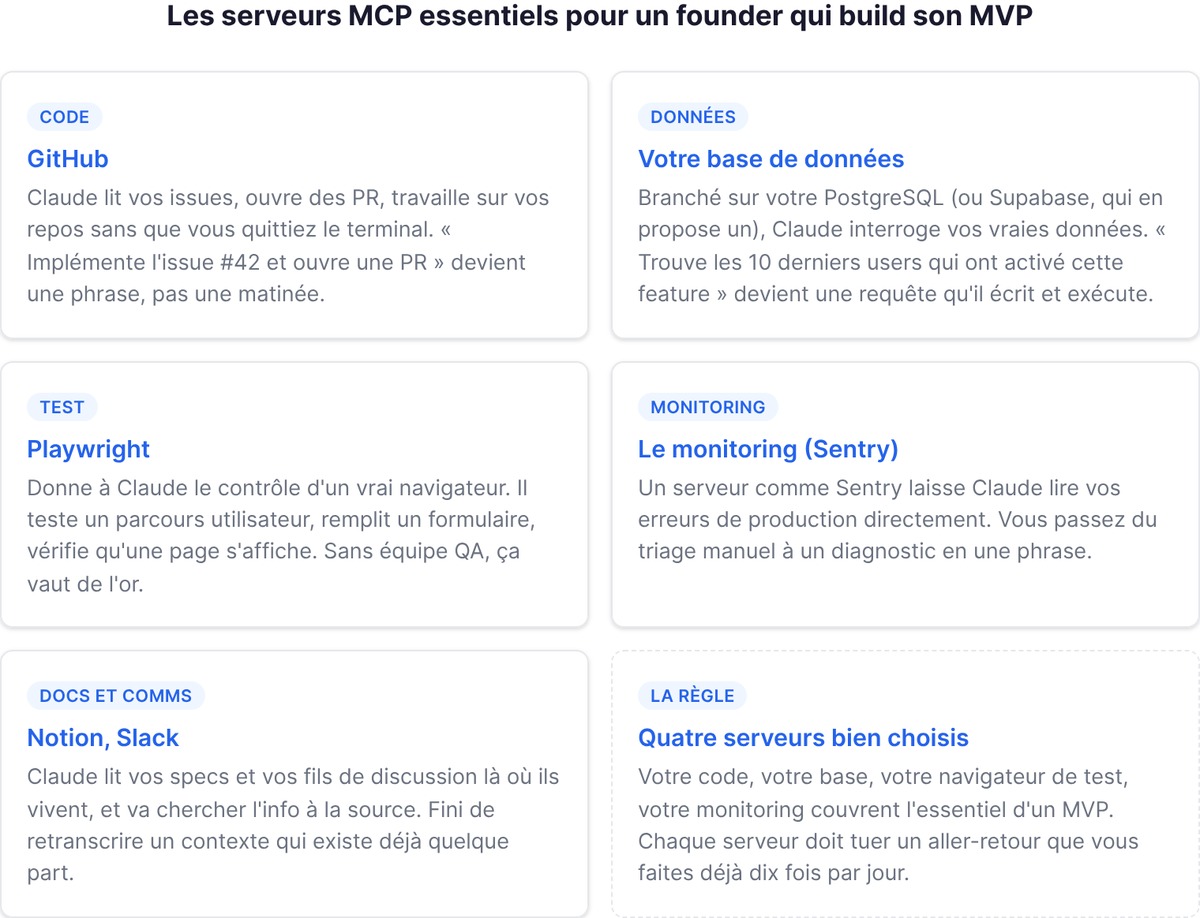
GitHub. The most profitable one. Claude reads your issues, opens PRs, and works on your repos without you leaving the terminal. The GitHub server authenticates with a personal access token that you generate in your GitHub settings, restricting it to the relevant repositories, then pass in a header. The result: "implement issue #42 and open a PR" becomes a sentence, not a morning.
Your database. An MCP server plugged into your PostgreSQL (or into Supabase, which offers one) lets Claude query your real data. "Find the last 10 users who enabled this feature" becomes a query Claude writes and runs, instead of making you open a SQL client. For a founder who needs to understand usage without being a data analyst, that's a huge shortcut.
Playwright. A server that gives Claude control of a real browser. It can test a user journey, fill in a form, and check that a page renders. When you have no QA team, letting Claude click through your app to confirm a flow works is worth gold.
Monitoring. A server like Sentry lets Claude read your production errors directly. "Look at this week's Sentry errors and tell me which one affects the most users": you go from manual triage to a diagnosis in one sentence.
Your docs and comms. A Notion or Slack server lets Claude read your specs and discussion threads where they live. A founder spends an insane share of their day retyping context that already exists somewhere: these servers remove that retyping. Claude fetches the info at the source.
The rule: every server you plug in should kill a round-trip you already make ten times a day. If you never copy data from a tool, it doesn't need its MCP. Four well-chosen servers (your code, your database, your test browser, your monitoring) cover the essentials of an MVP. The rest gets added the day a real need shows up, not before.
Building your own MCP server
No server covers your homegrown internal tool? You write one. An MCP server is a program that exposes functions according to the protocol, and Claude plugs into it like any other.
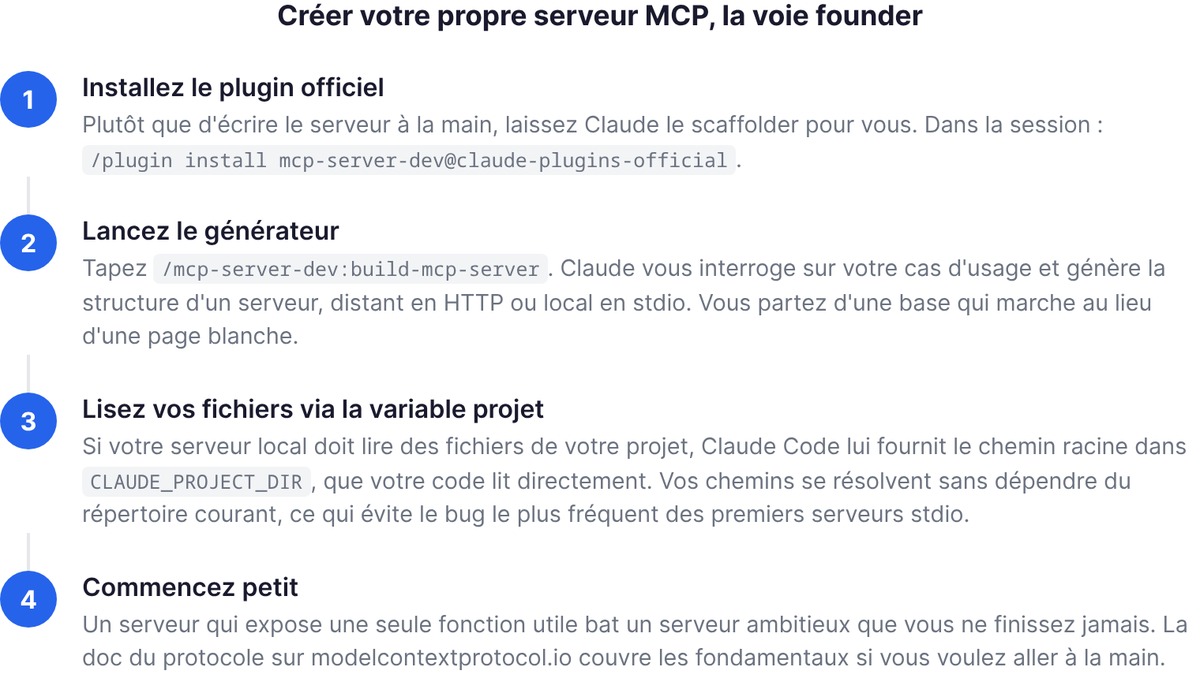
There are two paths. The first, by hand: the protocol documentation at modelcontextprotocol.io covers the fundamentals (how to declare your tools, handle authentication, test). The second, faster and very founder-friendly: let Claude scaffold it for you. Claude Code has an official plugin for that.
/plugin install mcp-server-dev@claude-plugins-official
Then, in the session:
/mcp-server-dev:build-mcp-server
Claude asks you about your use case and generates the structure of a server, remote over HTTP or local over stdio. You start from a working base instead of a blank page. For a founder who isn't a protocol specialist, that's the difference between "I'll give it a go" and "I give up at the first page of docs."
Here's a practical detail if your local server needs to read files from your project: Claude Code provides it with the project's root path in an environment variable (CLAUDE_PROJECT_DIR), which your code reads directly. Your server therefore resolves its paths without depending on the current directory, which avoids the most common class of bug when writing your first stdio server. Start small: a server that exposes a single useful function beats an ambitious server you never finish.
Traps to avoid (too much MCP kills the result)
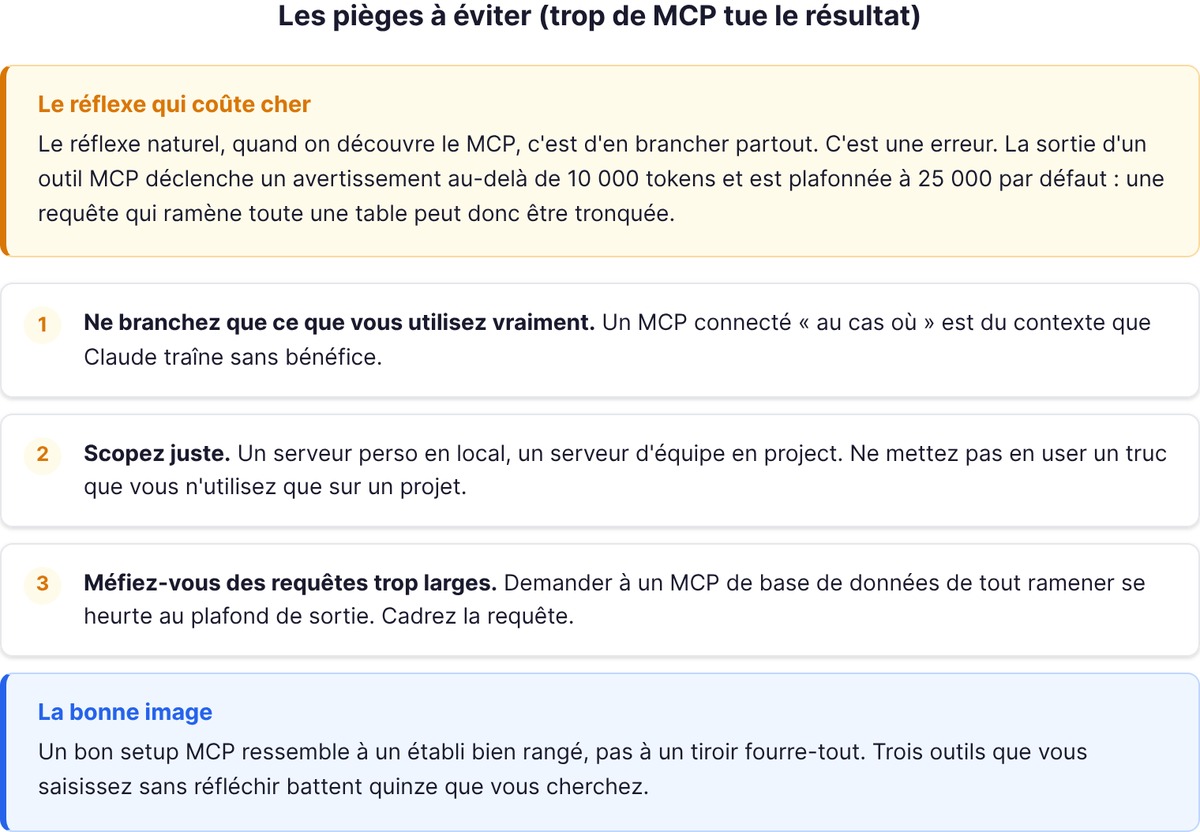
Here's what nobody tells you, and what makes the real difference between a setup that helps and one that slows Claude down. The natural reflex, when you discover MCP, is to plug it in everywhere. That's a mistake.
Every server you connect adds its tools to what Claude has to account for. Historically, the more servers you added, the more you inflated the context, and the more Claude had to sort through dozens of tools, most of which weren't relevant to the task at hand. Claude Code mitigates this today with tool search, on by default on recent models: tool definitions are only loaded on demand, so adding a server weighs little on your context window. But mitigating isn't eliminating. The practical limit is still your context budget, and one measurable point remains: an MCP tool's output triggers a warning beyond 10,000 tokens and is capped at 25,000 by default. A query that pulls back an entire table can therefore be truncated.
The discipline to hold, in three points:
- Only plug in what you actually use. An MCP connected "just in case" is context Claude drags around for no benefit.
- Scope it right. A personal server in local, a team server in project. Don't put in user something you only use on one project.
- Watch out for overly broad queries. Asking a database MCP to pull everything runs into the output cap. Frame the query.
A good MCP setup looks like a tidy workbench, not a junk drawer. Three tools you reach for without thinking beat fifteen you have to search for.
Going further
FAQ
What is MCP in Claude Code?
MCP (Model Context Protocol) is an open source standard that connects Claude Code to external tools and data: GitHub, a database, a browser, a monitoring tool. Once an MCP server is plugged in, Claude reads and acts on those systems directly, instead of working off what you copy into the chat. You add a server with the claude mcp add command.
How do you add an MCP server in Claude Code?
Use claude mcp add. For a remote server: claude mcp add --transport http <name> <url>. For a local server: claude mcp add <name> -- <command>. You can pass an authentication token with --header, and choose the scope with --scope (local, project or user). Browse the reviewed connectors at claude.ai/directory.
Where is an MCP server's configuration stored?
It depends on the scope. A local server (the default) and a user server are stored in ~/.claude.json and stay private. A project server is written into a .mcp.json file at the project root, designed to be committed and shared with the team via git. Always check a server's status with claude mcp list or the /mcp panel.
What are the best MCP servers for a founder?
The most profitable ones when building an MVP: GitHub (issues, PRs, repos), a server for your database (query your real data), Playwright (drive a browser to test), and a monitoring tool like Sentry (read your production errors). The rule: only plug in servers that kill a round-trip you already make every day.
Is it risky to connect too many MCP servers?
Yes, to a degree. Every server adds tools Claude has to account for, and even though tool search limits the impact on context, an MCP tool's output is capped at 25,000 tokens by default. An unknown server can also expose you to prompt injection. Only connect what you use, and only trust verified servers.