Mistral Vibe is Mistral AI's command-line coding assistant. It runs on Devstral 2, a 123-billion-parameter model that, according to Mistral, scores 72.2% on the SWE-bench Verified benchmark and handles a 256,000-token context window. That window lets you load a monorepo or a legacy application in a single pass. Devstral 2 ships under a modified MIT license, and Devstral 2 Small under Apache 2.0.
April 2026 update: Mistral AI released Mistral Vibe 2.0 on January 27, 2026, and presents it as production-ready. It adds custom subagents, multiple-choice clarifications, slash skills, unified agent modes and automatic updates. The CLI receives fixes continuously, supports the MCP protocol, and integrates with VS Code, Zed and JetBrains IDEs.
Mistral Vibe at a glance
What Mistral Vibe is
Mistral Vibe is a command-line coding assistant powered by Mistral AI's models. You type an instruction in plain language in your terminal, and the assistant reads your codebase, understands the project structure, edits files and runs commands.
The CLI source code is published on GitHub under the Apache 2.0 license.
Key features of Mistral Vibe 2.0:
- project-aware context: the assistant analyzes the file structure and Git status before responding
- quick references:
@for a file,!for a shell command,/for a configuration command - multi-file orchestration: the assistant reasons across the whole repository, including files you haven't opened
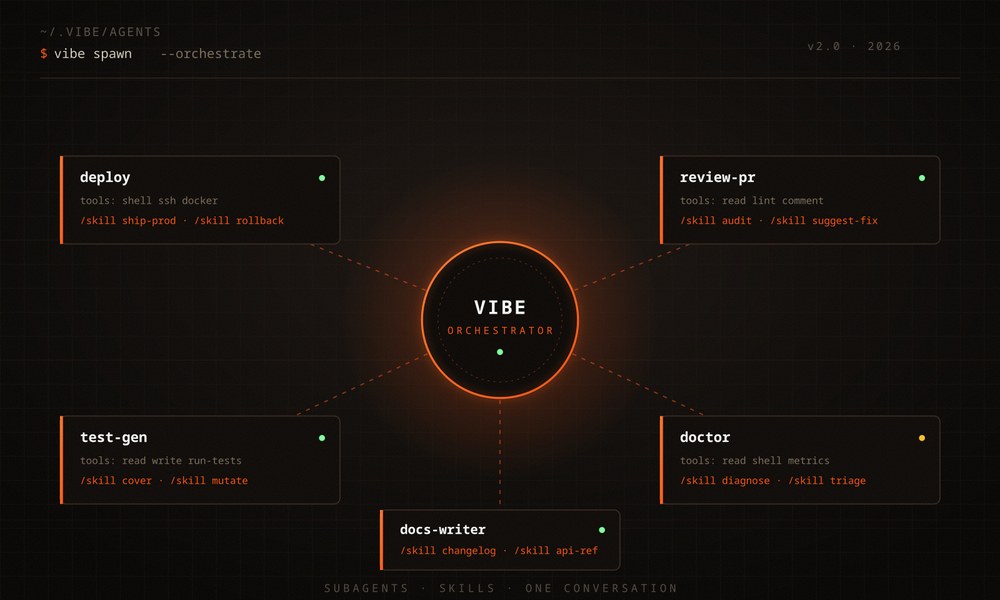
- custom subagents for focused tasks (deployment, PR review, test generation), invoked on demand
- multiple-choice clarifications: when your intent is ambiguous, Vibe asks instead of guessing
- slash skills: preconfigured workflows loaded via
/for linting or deployment - unified agent modes that bundle tools and permissions, so you can switch context without switching tools
- persistent history and customizable themes
- automatic updates: fixes arrive without any action on your part
Why Mistral built it
Mistral Vibe is designed for "vibe coding," an approach where you steer development through natural-language instructions, much like briefing an experienced developer. Mistral Vibe adds persistent memory and awareness of your project's context on top of that.
Mistral wanted an open alternative to proprietary coding assistants, one that fits into existing development workflows. The result is a scriptable terminal interface released under an open license.
How it relates to Mistral AI and Devstral 2
Mistral Vibe is one of Mistral AI's flagship developer products. Mistral announced it alongside Devstral 2, its new generation of open coding models.
Mistral Vibe CLI is built for the Devstral 2 family, which serves as its engine. The lineup comes in two sizes: Devstral 2 (123 billion parameters) for maximum performance, and Devstral 2 Small (24 billion parameters), which runs on consumer hardware. Vibe 2.0 also supports Codestral and Codestral Embed for specialized use cases. Mistral chose a dense architecture over a mixture-of-experts to make deployment and monitoring simpler.
The tool is part of Mistral AI's plan to build a European software foundation. Because the CLI is open source, you keep full control over your development environment.
Pricing and deployment options
Since Vibe 2.0, Mistral offers several ways to get access. According to Mistral's pricing page, Le Chat Pro costs $14.99 per month (with a student discount) and Le Chat Team costs $24.99 per seat per month, with admin controls. On the API, Mistral charges $0.40 per million input tokens and $2.00 per million output tokens for Devstral 2, and $0.10 input and $0.30 output for Devstral 2 Small.
You can also bring your own API key (BYOK) or host the model on your own infrastructure, which meets the compliance requirements of sectors like finance and defense.
These options put Vibe up against GitHub Copilot, Cursor and Claude Code, with an extra selling point for organizations that require their code to stay in-house.
Core features of Mistral Vibe CLI
Exploring and editing code in natural language
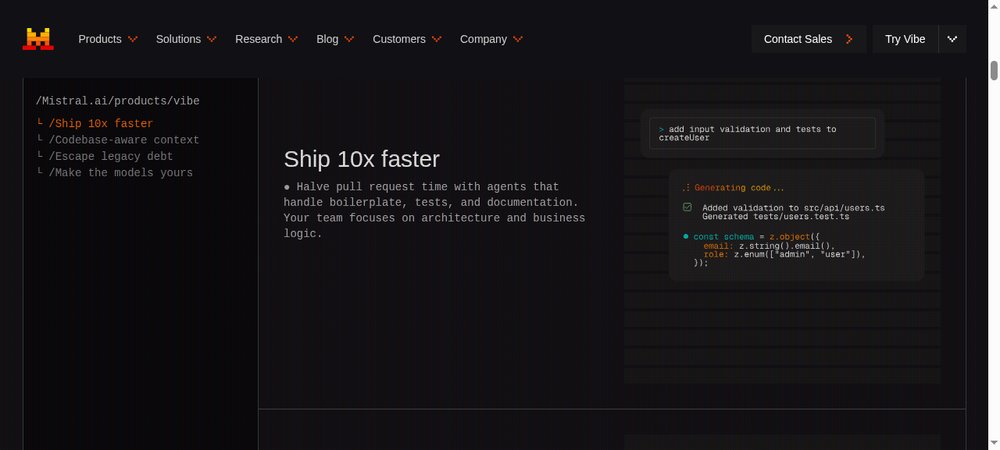
You describe what you want in plain language, and the assistant edits or generates the matching code. Its built-in tools (read_file, write_file, search_replace) read and modify files straight from the chat interface.
Running shell commands in the terminal
Prefix an instruction with ! to run a shell command without leaving the assistant. !ls -l lists the files in the current directory. You stay in the same window for the entire session.
Autocomplete and command history
The interface offers:
- autocomplete for slash commands (
/) and file paths (@) - a persistent history of your conversations
- keyboard shortcuts: Ctrl+T opens the task view, Shift+Tab switches the approval mode
Multi-file support and project understanding
Mistral Vibe analyzes the structure of your project and its Git status to build context. It reasons about the architecture of the entire repository, so it can make consistent changes across several files in a single request.
Git integration and context management
The assistant reads the state of your repository. You can ask it for the status, pending diffs, or a commit message that summarizes your changes. Vibe 2.0 adds OAuth connectors for GitHub, GitLab and Jira through the /mcp menu, along with MCP (Model Context Protocol) servers that connect the assistant to third-party tools.
Custom subagents and hooks
With Vibe 2.0, you create subagents for repeatable workflows: a PR review agent, a test generation agent, a deployment agent. Each subagent has its own tools and permissions. The hooks system (experimental, post-agent-turn) triggers an automatic action at the end of a turn, and the scratchpad provides a temporary workspace shared between the main agent and its subagents.
Installing and configuring Mistral Vibe
There are several installation methods depending on your operating system.
How to install Mistral Vibe CLI
First make sure Python 3.12 or later is installed, then pick a method:
- quick install (macOS and Linux):
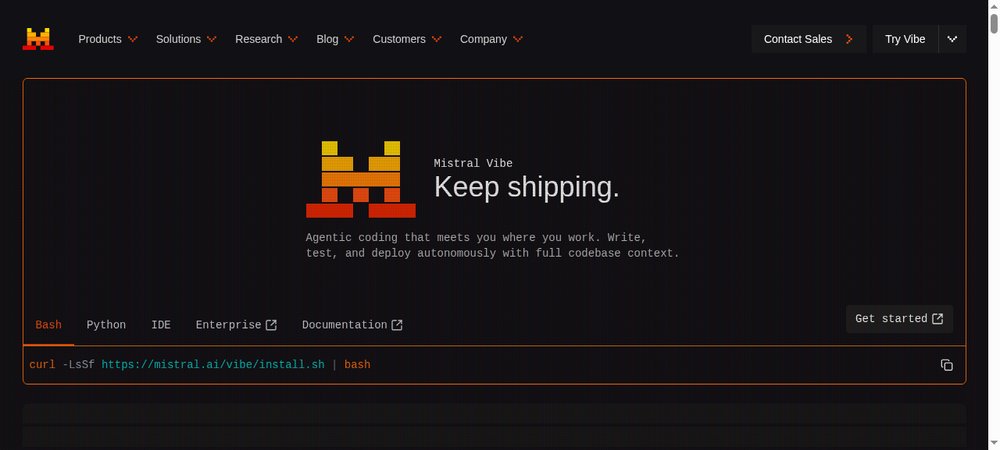
curl -LsSf https://mistral.ai/vibe/install.sh | bash - with uv:
uv tool install mistral-vibe - with pip:
pip install mistral-vibe
Mistral Vibe runs on Windows, but Mistral designs it primarily for UNIX environments.
The config.toml file
On first launch, Mistral Vibe creates ~/.vibe/config.toml. This file controls the interface and tool permissions, and specifies which model to use.
Customizing models and permissions
Set up your API key with vibe --setup, or with one of these methods:
- the interactive setup on first launch
- an environment variable:
export MISTRAL_API_KEY="votre_clé_api" - a
.envfile in~/.vibe/
You can also create custom agent configurations in ~/.vibe/agents/.
Using a local model or the Mistral API
By default, Mistral Vibe calls Devstral 2 through the Mistral API. To use a local model, add a provider configuration in config.toml and set the active model to "local."
Advanced usage and use cases
Creating and managing agents with specific skills
You create specialized agents in ~/.vibe/agents/, each with its own tools and permissions: one agent for web development, another for data analysis, another for container management.
Automating development tasks
You can hand repetitive work to Mistral Vibe: generating unit tests, refactoring, analyzing a database. Type "Generate tests for this service" and Vibe writes the test files.
IDE integrations: VS Code, JetBrains, Zed
Mistral Vibe remains terminal-first and editor-agnostic, but it integrates with VS Code, Zed and JetBrains IDEs (IntelliJ, PyCharm, WebStorm). The extensions give you access to the assistant from inside your IDE while keeping the terminal features. Cursor requires its own editor and GitHub Copilot works online only, while Vibe lets you choose your environment.
Useful command examples
A few commands to try:
@nom_fichierto reference a file/helpto list available commands/contextto view the current context!commande_shellto run a system command
Using it in a team environment
You can share agent configurations across your team and standardize development practices. Because conversations are stored as text, they document technical decisions: a new team member can reread a session and understand why the code ended up the way it did.
FAQ
Is Mistral Vibe free?
The CLI is open source under the Apache 2.0 license. Using the models costs money: Le Chat Pro at $14.99 per month, Le Chat Team at $24.99 per seat per month, or the Devstral 2 API at $0.40 per million input tokens and $2.00 per million output tokens, according to Mistral. With a local model, you pay Mistral nothing.
What's the difference between Mistral Vibe 1.0 and 2.0?
Vibe 2.0, released on January 27, 2026, moves the tool from experimental to production status, according to Mistral. New additions include custom subagents, slash skills, unified agent modes, multiple-choice clarifications and automatic updates. This version also introduces the Le Chat Pro and Team plans, while keeping the self-hosted open-source option and BYOK.
Can you use Mistral Vibe without sending your code to Mistral?
Yes. Configure a local provider in ~/.vibe/config.toml and set the active model to "local." Devstral 2 Small, at 24 billion parameters, runs on consumer hardware. For teams, Mistral also offers hosting on your own servers.
Does Mistral Vibe work on Windows?
Yes, with Python 3.12 or later, via pip install mistral-vibe or uv tool install mistral-vibe. Mistral designs the tool primarily for macOS and Linux, where the install.sh script handles everything in one command.
Which model should you choose: Devstral 2 or Devstral 2 Small?
Devstral 2 (123 billion parameters) scores 72.2% on SWE-bench Verified according to Mistral and targets heavy workloads via the API. Devstral 2 Small (24 billion) runs locally on a development machine and costs four times less for input on the API. Start with Small running locally if privacy comes first, and with Devstral 2 via the API if quality comes first.